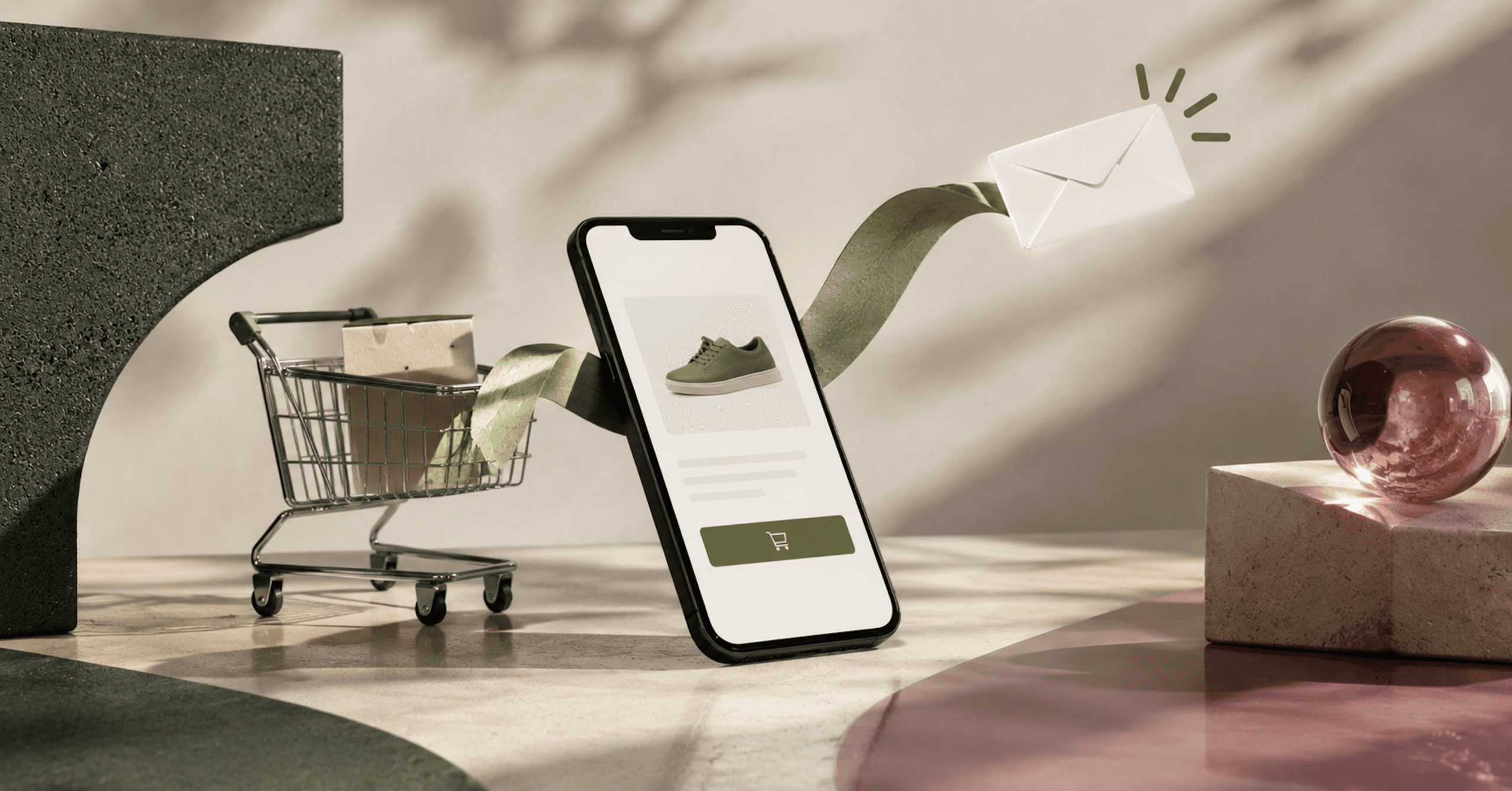
A browse abandonment email goes to a shopper who looked at a product and left without adding it to the cart. In Klaviyo, the flow is triggered by the Viewed Product metric (opens in new tab), and Klaviyo records that event only for browsers it can identify. An anonymous visitor who views ten products never enters the flow, so the number of people a browse abandonment email can reach is decided before anyone writes a subject line.
That’s why browse abandonment comes after welcome and cart in the build order we give in our ranking of Klaviyo flows. If cart recovery is already running and you’re deciding what to build next, measure how much of your product-page traffic Klaviyo recognizes first. Then set up the filters that keep the browse flow from colliding with the cart flow, and write a message that helps a shopper decide.
Who A Browse Abandonment Email Can Reach
A visitor doesn’t have to add an item to their cart (opens in new tab) to trigger a browse abandonment flow. A product view is enough, which is what separates this trigger from the two behind an abandoned cart email: Added to Cart and Started Checkout. A product view is a weaker signal of intent than either of those, and it happens far more often.
Klaviyo tracks browsing activity for identifiable browsers, such as people who’ve submitted a form, completed SMS tap-to-text, or been cookied on an earlier visit. Everyone else browses without producing a Viewed Product event tied to a profile, and a flow can’t email a visitor it has no profile for.
Your ceiling is the share of product viewers Klaviyo recognizes, and it’s different for every store. You can read it from your own account by comparing the number of profiles with a Viewed Product event in a month against the number of visitors who viewed a product page in the same month in your store analytics.
Take a store where 40,000 people view a product in a month. If Klaviyo identifies 5% of them, 2,000 can enter the flow, and at 20% it’s 8,000. No subject line test quadruples a flow’s audience, and better identification does.
How Klaviyo Records The View Behind A Browse Abandonment Email
On a Shopify store, two different mechanisms record onsite behavior. Active on Site and Viewed Product are tracked through the Klaviyo app embed (opens in new tab), while Added to Cart, Viewed Collection and Submitted Search are tracked through a Shopify pixel. You turn the first one on by enabling Klaviyo’s app embed in your Shopify theme; the Track behavioral events checkbox in Klaviyo’s Shopify integration settings turns on the three pixel events, not Viewed Product. Once the embed is on, Viewed Product is enabled by default and fires when someone views a product page.
The embed belongs to the theme, so a theme change breaks it. After you add a new theme, you need to re-enable the app embed, and until you do, the flow has nothing to trigger on. Put the embed on your theme launch checklist.
To test it, add ?utm_email= followed by an email address to your store URL, reload, view a product page, then look that address up in Klaviyo. If you’ve just enabled tracking, wait 15 minutes before you test, since events can take a short time to start syncing. Run the test again after every theme publish.
Headless stores do this by hand. On a Shopify Hydrogen storefront, you add Klaviyo’s Viewed Product tracking snippet (opens in new tab) yourself, and a browse abandonment flow has no trigger until it’s in place.
What Identifies A Visitor
The app embed identifies a browser through the Klaviyo cookie (opens in new tab), named __kla_id, which tracks a site visitor through an auto-generated ID. A visitor becomes identified when they fill out a Klaviyo signup form, click a link from a Klaviyo email or SMS message, or go through checkout. When email-to-website tracking is on, Klaviyo adds a parameter to every URL in your emails to track that activity.
The cookie starts collecting activity on a visitor’s first visit, and that earlier activity is added to their profile once they’re identified. The first two routes run through your list, and the third only identifies a shopper who’s already at checkout. A signup form that captures an email on the first visit is what turns an anonymous product viewer into someone the flow can reach, and our guide to zero-party data covers the forms and quizzes that collect an address along with something useful about the shopper.
How Long Identification Lasts In Each Browser
Klaviyo sets its cookie to last up to 2 years, and each browser’s own cookie policy decides how long it actually survives. The table gives the lifetime of the Klaviyo cookie by browser (opens in new tab), as Klaviyo reports it.
| Browser | Standard Klaviyo cookie | With First-Party ID |
|---|---|---|
| Safari | 7 days, or 24 hours when the URL has query parameters or fragments and Klaviyo is a known tracker | Up to 7 days |
| Chrome | 400 days | Up to 400 days |
| Firefox | 45 days, with purging through daily tracker-classification checks | Same |
| Brave | Blocked, or 7 days when Shields are down | Same |
| Edge | Up to 2 years | Same |
Safari is the row that shrinks a browse flow’s audience. Safari’s tracking prevention deletes cookies created in JavaScript (opens in new tab) after 7 days without the user interacting with the site, and it caps them at 24 hours on a landing page reached through link decoration used for cross-site tracking. A Safari shopper who clicked your email three weeks ago, hasn’t visited since and comes back today by typing your URL arrives as a stranger. Chrome keeps the same cookie for 400 days, about 57 times as long as Safari’s 7.
Klaviyo’s answer is First-Party ID (opens in new tab), which runs a Cloudflare worker on a subdomain of your own domain and sets a longer-lived, server-set cookie named __kle_id. Klaviyo uses that cookie to refresh the standard one and re-identify the visitor. It needs a dedicated subdomain pointed at Klaviyo’s Cloudflare account, verification can take up to 48 hours, and each domain can connect to only one Klaviyo account at a time.
Its effect on Safari is narrow. With First-Party ID, the Klaviyo cookie on Safari lasts up to 7 days, so the feature removes the 24-hour case and leaves the 7-day ceiling where it was. It also doesn’t identify net new visitors: a shopper who has never given you an address is still anonymous. If a large share of your traffic is iPhone Safari, the route to a bigger browse audience is more signups and more email clicks, since each click re-identifies the browser.
Consent Rules For A Browse Abandonment Email
Consent removes another slice of the audience before the flow starts. Depending on your customer privacy settings in Shopify, Klaviyo may not track onsite events for visitors in the EU, EEA, UK and Switzerland unless they’ve given consent, and your browse abandonment flow won’t include those non-consented visitors. Logged-in customer tracking on a Hydrogen store isn’t affected by that restriction.
The gate is set in Shopify. In regions where you’ve configured a cookie banner, Shopify collects non-essential data only after obtaining consent (opens in new tab), and pixels operate on the consent obtained there. New stores with active markets in the UK or EEA get a banner configured automatically for visitors in those regions. An app follows those settings when it’s integrated with Shopify’s Customer Privacy API (opens in new tab), which allows all processing purposes by default in regions that aren’t configured to require consent.
Tracking consent and email consent are separate questions. Klaviyo classes abandoned cart and browse abandonment messages as promotional (opens in new tab), not transactional. A profile that has never subscribed (opens in new tab) has neither subscribed to nor opted out of email marketing, and because it isn’t suppressed, a flow can still send to it. Whether your browse flow does is a filter you choose.
The UK’s rules are stricter for a browser than for a buyer. The Information Commissioner’s Office says you must not send marketing emails (opens in new tab) to individuals without specific consent. Its soft opt-in exception covers people who bought, or negotiated to buy, a similar product from you, and it doesn’t apply to prospective customers or new contacts. A shopper who has only viewed a product is a prospect.
In the United States, the CAN-SPAM Act (opens in new tab) requires honest header information and subject lines, identification of the message as an ad, a postal address, and an opt-out honored within 10 business days.
For regulated regions such as the EU, Klaviyo calls abandoned cart and browse abandonment flows a “regulatory gray area” (opens in new tab) and offers two options: exclude customers in those areas, or give them different messaging with less marketing language. Send a browse abandonment email only to profiles subscribed to email marketing, exclude or separately handle EU and UK profiles, and have counsel review the flow if you sell into those markets.
Keeping The Browse Abandonment Flow Off The Cart Flow
A shopper who views a product, adds it to the cart and starts checkout has qualified for three flows in a few minutes. Flow filters decide which one they stay in. Klaviyo gives four filters for a browse abandonment flow (opens in new tab):
- Placed Order zero times since starting this flow
- Started Checkout zero times since starting this flow
- Hasn't been in this flow in the last 30 days
- Added to Cart zero times since starting this flow, if you also run a flow triggered by Added to Cart
The Started Checkout filter is the one that protects your default abandoned cart flow, which Klaviyo triggers on Started Checkout. The Added to Cart filter does the same job against a separate Added to Cart flow. The cart side has a mirror-image rule: an Added to Cart flow takes its own Started Checkout zero times since starting this flow (opens in new tab) filter, so someone who starts checkout doesn’t get messages from both.
The 30-day filter caps how often one person re-enters. With it in place, a shopper can start the browse flow about 12 times a year at most, however often they visit. It also decides which product the email shows. With the 30-day filter, the email shows the first item the shopper viewed, and with a filter of has viewed product zero times since starting this flow, it shows the most recent.
Filters only work while the shopper is waiting in the flow, so the delay has to be long enough for them to act. Klaviyo’s floor for a hand-built browse flow is a time delay of at least one hour. A longer delay gives a shopper who’s still shopping more time to add to cart or check out, and each of those actions takes them out of the browse flow before it sends. Our guide to Klaviyo segmentation explains how trigger filters and profile filters are checked at different points in a flow, and how to add an unengaged-profile exclusion to a high-volume flow like this one.
Smart Sending Drops The Second Message
Filters decide which flow a shopper is in. Smart Sending (opens in new tab) decides which message gets dropped when two flows both send. It limits how many messages a person can receive within a set period, and the email default is 16 hours. A message skipped by Smart Sending isn’t rescheduled.
That creates one collision the filters can’t prevent. Say your browse email sends one hour after the view, the shopper clicks it, starts a checkout an hour later and leaves. Your cart email, on a four-hour delay, comes due five hours after the browse email, inside the 16-hour window. With Smart Sending on for both messages, the cart email is skipped and never sent, and the lower-value message has blocked the higher-value one.
Klaviyo recommends leaving Smart Sending on for all browse abandonment emails, and that’s right for the browse side. For the cart flow’s first email, decide deliberately: turning Smart Sending off on that one message lets it send to a shopper who received a browse email earlier the same day. The cost of that choice is a second marketing email in one day. Gmail and Yahoo publish spam complaint thresholds for senders, and our guide to email deliverability covers them by provider.
What To Send In A Browse Abandonment Email
Klaviyo recommends making browse abandonment messages a “lighter touchpoint” than the abandoned cart flow, and tells you not to copy the default abandoned cart message into a browse flow. The product block is built differently too: in a browse message it’s a static block. The pre-built flows in Klaviyo’s library come with emails designed to populate with the product viewed, and Klaviyo recommends starting from one of those over building your own.
A lighter touch follows from the signal. A cart email answers someone who chose a product and stopped at paying. A browse abandonment email answers someone who hasn’t chosen yet, so its job is to supply what the product page didn’t settle. In practice that means the viewed product, then the things a shopper compares on:
- The product they viewed, with its name, image and price
- Two or three alternatives from the same collection
- Sizing, fit, materials or compatibility detail, whichever the category turns on
- Reviews for that product
- Shipping and return terms
Write the subject line and opening as service, not surveillance. “Still deciding on the trail jacket?” reads as help. A line that recites the shopper’s session back to them reads as being watched, and a product view is a thin basis for that much familiarity.
Showing related items beside the viewed product is a recommendation problem, and the same rules apply in email as on the site. Our guide to ecommerce personalization covers Shopify’s recommendation intents, the third-party engines, and how much a widget’s placement and size change its results.
Discounts In Browse Abandonment Emails
Klaviyo’s discount advice for browse abandonment emails splits by audience. For browsers who’ve never bought, it suggests you may want a discount code to prompt a first purchase. For existing customers, it suggests you may not, since they’ve already bought from you once.
Our recommendation is stricter: no discount in the first browse email for anyone. A product view takes no commitment, so a code attached to it becomes a standing offer to anyone who looks at a product and waits. If you use an incentive at all, hold it for a second message, and limit it to identified browsers who’ve never placed an order.
Intent is a better lever than price. Klaviyo offers a filter on multiple product views, which targets people spending time on your site looking at different products. Splitting the flow on that signal lets you send the fuller, comparison-heavy email to the shopper who viewed four products and a single short reminder to the one who viewed one.
Adding SMS To The Flow
Klaviyo’s guidance for SMS in a browse abandonment flow (opens in new tab) is tight. The time delay must fall within 48 hours of the flow’s trigger, you can send only 1 SMS to a visitor who abandoned their session, and quiet hours should always be on. The SMS branch sits behind a split on whether the person has consented to receive SMS.
What A Browse Abandonment Email Earns
Klaviyo’s 2026 benchmark figures, which it sources to its 2026 Omnichannel Benchmark Report and says come from an analysis of more than 110,000 of its customers, put the browse abandonment email flow at an average revenue per recipient of $2.08 and $4.32 for brands in the top 10%. The same report puts the abandoned cart email flow at $6.77 average and $13.70 for the top 10%. These are Klaviyo’s figures about Klaviyo’s customers.
On those numbers, the average browse email earns about 31% of what the average cart email earns per recipient. A top-10% browse flow, at $4.32, still earns less per recipient than an average cart flow. The gap comes from the trigger: a product view carries less intent than a cart.
Klaviyo reports an average click rate of 5.6% for browse abandonment email against 6% for abandoned cart email. Shoppers click a browse email almost as readily as a cart email and produce about a third of the revenue per recipient, which fits a message whose reader is still comparing.
Klaviyo’s averages for browse abandonment SMS are $1.04 in revenue per recipient, half the email figure, and an 8.6% click rate.
A benchmark average isn’t a forecast for your store, but it does size the identification question. In the 40,000-viewer example, 2,000 recipients at Klaviyo’s $2.08 average come to $4,160 a month, and 8,000 recipients come to $16,640. The difference between those two stores is identified traffic.
One caution on reporting: a shopper who gets a browse email, then a cart email, then buys can be credited to both flows. Read the browse flow’s revenue alongside the cart flow’s, and watch whether total flow revenue rose when browse went live.
Shopify's Native Browse Abandonment Automation And Klaviyo
Shopify has its own version in the Shopify Messaging app. The Convert abandoned product browse (opens in new tab) automation sends a marketing message to customers who view at least one product and leave without adding it to their cart or buying. It comes in an email and an SMS version, and by default marketing automations send only to customers subscribed to email marketing.
| Klaviyo browse abandonment flow | Shopify Convert abandoned product browse | |
|---|---|---|
| Trigger | Viewed Product metric, recorded by the Klaviyo app embed | Customer left online store without making a purchase, in Shopify Flow |
| Default audience | Any identified profile that isn’t suppressed, unless you filter on consent | Customers subscribed to email marketing |
| Repeat-send guard | Flow filters you add, plus Smart Sending | Excludes customers who received an abandoned checkout, cart or product browse email in the last 14 days |
| Requirements | Shopify integration and the Klaviyo app embed | Basic plan or higher, Shopify Flow app installed |
Your store must be on the Basic plan or higher (opens in new tab), and full functionality needs the Shopify Flow app installed, with staff holding both the Marketing and Flow App permissions. Browse emails count toward your monthly emails sent with Shopify Messaging, and only Recover abandoned checkout emails are exempt. SMS automations are charged per message.
Shopify’s template excludes customers who received an abandoned checkout, cart or product browse email in the last 14 days (opens in new tab). That rule counts Shopify’s own recovery emails. Klaviyo’s filters and Smart Sending count Klaviyo’s own events and sends.
Can you run Shopify’s browse automation and a Klaviyo browse abandonment flow together? You can turn both on, and each one decides independently, so a subscriber both systems recognize can qualify for two browse emails about the same product. Shopify makes the same point about its own templates: activate two welcome automations and customers receive twice as many emails. Run one. If your list, segments and cart flow live in Klaviyo, keep the browse flow there and turn Shopify’s off, so one set of filters and one Smart Sending window governs every recovery message.
Where To Start With Your Browse Abandonment Flow
Work in this order, because each step limits the next:
- Confirm the Klaviyo app embed is on in your live theme and that Viewed Product events are arriving
- Measure the share of product viewers Klaviyo identifies
- Add the four flow filters and choose a delay longer than Klaviyo's one-hour floor
- Decide which message wins a Smart Sending collision with the cart flow
- Write one email built around the viewed product and what a shopper compares
- Turn off Shopify's native browse automation if Klaviyo is sending
If the identified share is small, the highest-return work is upstream of the flow: signup forms, email click-through and, for Safari-heavy traffic, First-Party ID. A browse abandonment email with a small audience and perfect copy will earn less than a plain one with four times the recipients.
BLKDG is a Klaviyo Partner, and our Klaviyo agency work includes this flow’s trigger and filter design. When we build this flow, we run a real browsing session through it before it goes live.
If you’d like a team to size your identified traffic, build the browse abandonment flow and keep it clear of your cart recovery, take a look at BLKDG’s email and SMS marketing services. They cover automated flows, segmentation and SMS programs, and the first step is a free Growth Audit.

BigCommerce Vs Shopify: Where The Two Platforms Actually Differ
BigCommerce’s three self-serve plans cost the same as Shopify’s Basic, Grow and Advanced, then the two meter you in different ways. Here’s where the two platforms part: sales thresholds, payment fees, catalog limits, B2B, checkout and the app market.
Shopify Email Vs Klaviyo: When Shopify Messaging Is Enough And When It Isn’t
Shopify Email is now Shopify Messaging, and for a small list it costs close to nothing. Here’s where it’s enough, where Klaviyo earns its price, and how to tell which side of that line your store is on.

Ecommerce KPIs: The Metrics That Tell A DTC Brand What To Fix Next
Five linked ecommerce KPIs will tell you more than a dashboard of thirty: conversion rate, average order value, repeat purchase rate, contribution margin after ad spend, and lifetime value against acquisition cost. Here’s how each is calculated, where it lives in Shopify and GA4, and what it tells you to fix.
Not sure where the gap is? That's exactly what the Digital Marketing Growth Audit is for.
A free, no-obligation look at where your site can win more traffic and conversions, with a clear digital marketing roadmap to get there. Just a straight read on where your digital presence stands and where it's headed.