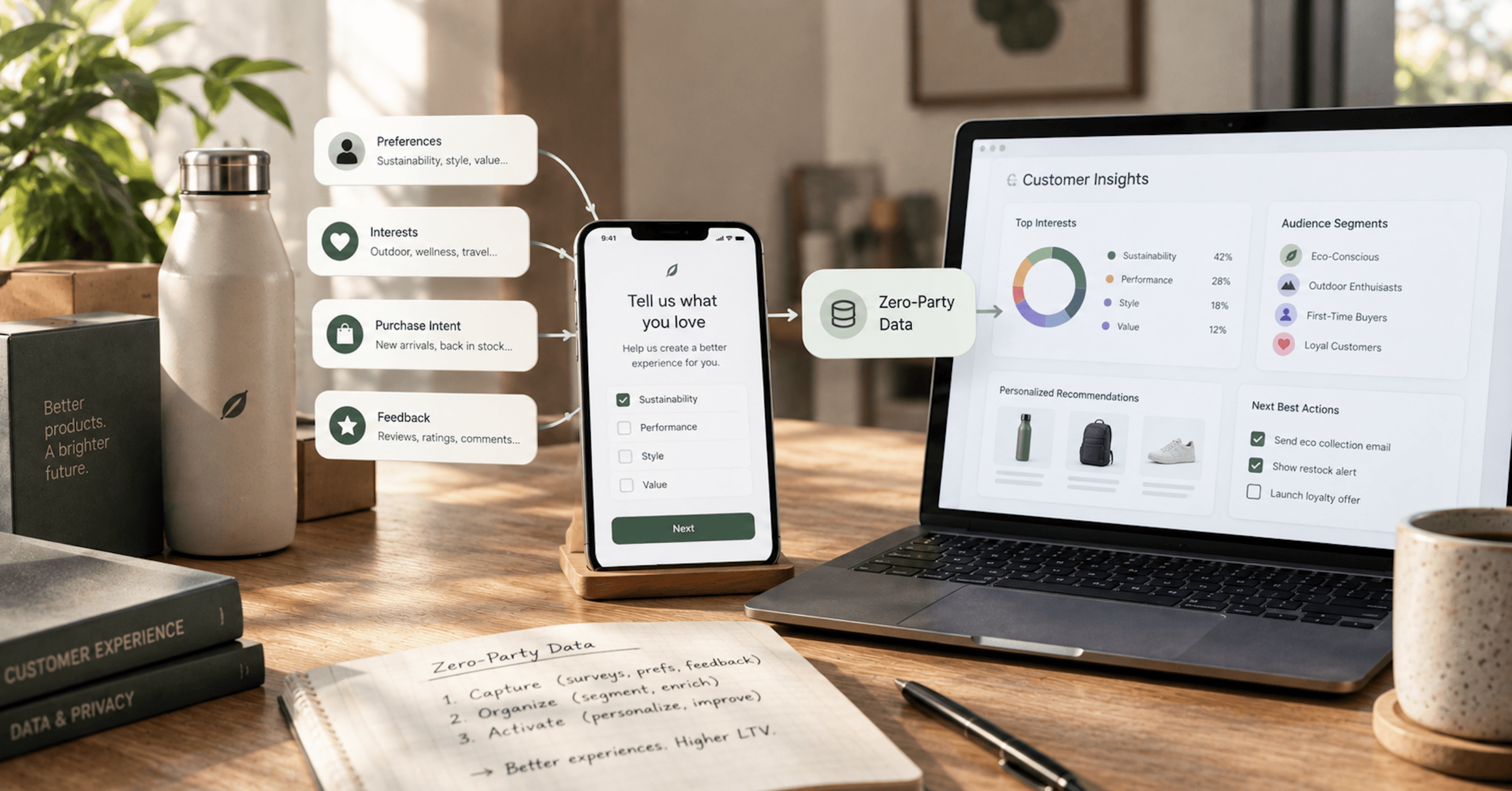
Zero-party data is what a customer tells you on purpose: what they’re shopping for, who they’re buying for, how often they want to hear from you. First-party data is what you watch them do. We build Klaviyo and Shopify stacks for DTC brands, and this is the analysis we’d walk a client through before they add a single question to a sign-up form: what zero-party data is, how it differs from first-party data, how to collect it without taxing conversion, and the rule that decides which questions get asked at all.
Nothing here is legal advice.
What Is Zero-Party Data?
Our working definition: zero-party data is information a customer deliberately hands your brand about themselves, such as preferences, intentions and context. First-party data is what your brand observes on its own: orders, clicks, browsing, email engagement. Both come from your own relationship with the customer. The difference is who did the telling.
The term is a marketing category, not a legal one. Forrester published a report on the concept, Q&A: What Marketers Need To Know About Zero-Party Data (opens in new tab), by Fatemeh Khatibloo, in October 2018. Forrester framed regulation, including GDPR and Vermont’s data broker law, as making third-party data harder to use, and positioned zero-party data as the alternative.
In DTC, zero-party data mostly arrives through four surfaces: a question on a sign-up form, a product quiz, a post-purchase survey and a preference page. Klaviyo describes the appeal of quiz and survey integrations (opens in new tab) in its own marketing terms: “A quiz is the one place a customer will tell a brand exactly what they want, in their own words, before they buy.” Declared data can sit on a profile before there’s any order history to observe, which is when a welcome flow has to decide what to send.
Zero-Party Data vs First-Party Data
First-party data records what happened. Zero-party data records what the customer says they want, and it can cover things behavior never reveals, like who a purchase was for or which activity they’re gearing up for next season.
First-party data is plentiful but has to be interpreted: a customer who bought a kids’ jacket may be a parent, or may have bought one gift. Zero-party data is explicit but goes stale, because a stated preference is a snapshot of the day the customer answered, while their orders keep updating. When the two disagree, the more recent evidence usually deserves more weight, and your segments should be built so you can see the disagreement.
Under GDPR and CCPA, Zero-Party Data Is Personal Data
Privacy law doesn’t recognize the zero-party distinction. GDPR Article 4(1) (opens in new tab) reads “‘personal data’ means any information relating to an identified or identifiable natural person (‘data subject’)” and makes no exception for information the person volunteered. A quiz answer tied to an email address is personal data in the same way an order record is.
California lands in the same place: the CCPA’s definition in Civil Code §1798.140 (opens in new tab) covers information that “identifies, relates to, describes, is reasonably capable of being associated with, or could reasonably be linked, directly or indirectly, with a particular consumer or household.” Subparagraph (K) of that definition covers inferences drawn to create a profile “reflecting the consumer’s preferences, characteristics, psychological trends, predispositions, behavior, attitudes, intelligence, abilities, and aptitudes.” Preferences are named in the statute.
Whether a submission counts as consent is a separate question from whether it’s personal data. GDPR Article 4(11) defines consent as “any freely given, specific, informed and unambiguous indication of the data subject’s wishes” that signifies agreement to processing, so answering a quiz doesn’t amount to agreeing to every use you might later make of the answer.
GDPR Article 9(1) prohibits processing special categories of data, including “data concerning health or data concerning a natural person’s sex life or sexual orientation,” with an exception in Article 9(2)(a) where “the data subject has given explicit consent to the processing of those personal data for one or more specified purposes.” California’s §1798.140(ae) lists “Personal information collected and analyzed concerning a consumer’s health” as sensitive personal information.
Skin-concern, supplement, sleep and weight quizzes, the kind DTC brands run, plausibly collect that kind of answer. Whether a specific question crosses the line is a call for your counsel to make before launch. Treating zero-party data as consented or compliant by default gets this backwards, because the answers most useful to a wellness brand are the ones most likely to need the strictest handling.
Google Dropped Its Plan to Phase Out Third-Party Cookies
The case for zero-party data doesn’t rest on third-party cookies disappearing from Chrome, because they haven’t. In December 2023, Google announced Tracking Protection testing (opens in new tab) as a milestone toward phasing out third-party cookies for everyone in the second half of 2024, subject to competition concerns from the UK’s Competition and Markets Authority.
Google reversed that plan on July 22, 2024 (opens in new tab). Instead of deprecating third-party cookies, it said it would introduce a new experience in Chrome that lets people make an informed choice that applies across their web browsing, one they’d be able to adjust at any time. On April 22, 2025, it dropped the prompt too (opens in new tab), deciding to maintain its current approach to offering users third-party cookie choice in Chrome and not to roll out a new standalone prompt for third-party cookies.
On October 17, 2025, Google announced it would retire 10 Privacy Sandbox technologies (opens in new tab), including the Attribution Reporting API, Protected Audience and Topics, citing their low levels of adoption. Google’s status for each of those three (opens in new tab) is “Deprecate and remove.”
Chrome blocks third-party cookies by default in Incognito mode (opens in new tab). Users can allow or block them in settings. Safari has blocked cookies for cross-site resources by default, across the board, since WebKit’s March 2020 update (opens in new tab). Firefox rolled out Total Cookie Protection by default to more users worldwide in June 2022 (opens in new tab), which creates a separate cookie jar for each website you visit.
The durable case for first-party data marketing, and for zero-party data inside it, is ownership. Answers on your Klaviyo profile sit in a system you control rather than inside an ad platform’s model of your customer. They travel with an email address or phone number rather than a browser cookie, and they tell you things no amount of tracking reveals. Consent rules gate what you can collect and how you use it regardless of which browser the customer runs.
The Rule for Every Zero-Party Data Question
The rule we’d hold any client to: every question you ask has to map to a Klaviyo segment, a flow branch or a content block before it ships. If you can’t name where the answer lands and what changes for the customer because of it, don’t ask it.
Klaviyo won’t enforce that discipline for you. There’s no limit to the number of custom properties (opens in new tab) that can be added to one profile, and all input fields on a form must be connected to a profile property (opens in new tab), which stores the data each subscriber submits. Every question you add creates a property.
A property with no destination still has costs: an extra field between a visitor and the submit button, personal data you’ll have to disclose, retain and delete, and an answer that goes stale on the profile.
The rule also lines up with the law. GDPR’s data minimization principle in Article 5(1)(c) (opens in new tab) requires personal data to be “adequate, relevant and limited to what is necessary in relation to the purposes for which they are processed (‘data minimisation’).”
California’s §1798.100(c) (opens in new tab) requires collection and use to be “reasonably necessary and proportionate to achieve the purposes for which the personal information was collected or processed,” and the CPPA’s regulations at §7002(a) (opens in new tab) repeat that standard. Neither text sets a number of questions, but both point the same direction as conversion discipline: ask for what you’ll use.
A question-to-destination map written before the form launches is also the first draft of your purpose statement. On purpose limitation (opens in new tab), the UK regulator says “You must be clear about your purposes for processing personal information from the start.” For an outdoor apparel brand, the map might look like this:
| Question | Answer options | Store as | Where it lands |
|---|---|---|---|
| What are you gearing up for? | Trail running, hiking, climbing, camping | Text property | Multi-branch split in the welcome flow, one path per answer |
| How often do you want to hear from us? | Weekly, monthly, launches only | Text property | Segments that gate campaign sends |
| Who are you shopping for? | Myself, someone else | Text property | Show/hide block in holiday campaigns |
| What’s your favorite color? | Open text | Nothing | No destination. Don’t ask it. |
Store answers as text rather than true or false values. Klaviyo’s show/hide logic builder (opens in new tab) supports profile data formatted as text, numbers and lists. It doesn’t support event data, dates or booleans. A text answer of “someone else” works in the email builder, and a boolean like is_gift doesn’t.
How to Collect Zero-Party Data
There are four places to ask, and they sit at different points in the customer’s timeline. A sign-up form and a product quiz ask before the first order. A post-purchase survey asks at the moment of conversion, after the order is placed. A preference page asks existing subscribers, including the ones on their way to unsubscribing.
A loyalty program can be a fifth surface, since members already trade actions for points. How that data reaches Klaviyo, events for moments and properties for state, is laid out in our ecommerce loyalty program breakdown.
Klaviyo Sign-Up Forms and Progressive Profiling
The cheapest place to start is the form you already run. Any additional fields you add to a Klaviyo subscribe page or sign-up form are collected as custom properties (opens in new tab). You can even use a subscribe page or sign-up form as a questionnaire if you’d like to filter segments or flows by the responses you receive. You don’t need a separate app to ask the first question.
Multi-step forms are Klaviyo’s built-in version of progressive profiling. Klaviyo’s pitch is that multi-step forms (opens in new tab) can help you learn more about your visitors and collect their consent across multiple channels, without overwhelming them with too many fields at once. A button whose action is Submit Form sends any form fields that the visitor completed to Klaviyo, then moves to whatever its After submit setting names, such as Show Next Step. With step one’s button set that way, a visitor who enters an email and abandons step two still lands in Klaviyo with that email.
So email goes on step one and the question you’ll act on goes on step two, where abandoning it never costs you the address. Klaviyo also recommends splitting channels: if you want to ask for both email and phone number in your form, it calls including those fields on 2 different steps best practice for list growth and compliance.
Check three defaults before launch. If you add a phone field, by default it collects promotional SMS consent, which Klaviyo says allows you to send any SMS messages, so the consent language beside it has to match. Radio-button answers are stored as a string data type, the text format the email builder can read, and hidden fields overwrite: if you add hidden fields for properties that already exist in someone’s profile, they’re overwritten by the new value when that person submits the form.
Watch for collisions with integrations, too. Klaviyo advises against updating custom profile properties in Klaviyo that were synced via an integration (Shopify tags, for example), since they’ll be overwritten the next time your integration syncs. Give quiz and form properties their own names, and never reuse one a Shopify sync already writes. Every form also carries a hidden $source field holding the form’s name, which you can use in segment definitions (opens in new tab), so you can always tell which surface an answer came from.
Progressive profiling doesn’t have to happen inside one form. The second and third questions can wait for the welcome flow, answered on a linked preference page, and a flow can stamp values itself: Klaviyo’s update profile property action (opens in new tab) writes a property when someone reaches a step.
Quiz Tools for Zero-Party Data Collection
A product quiz earns its extra steps by giving something back, a recommendation.
Octane AI starts at $50 a month (opens in new tab) with 400 credits and Klaviyo and Shopify sync included. The meter is 1 credit for 1 quiz engagement, counted when someone completes your quiz. At that list price, that’s 12.5 cents per included completion, assuming none of the credits go to AI features, which use additional credits.
Overage runs $0.10 per credit, and every plan includes a 14-day free trial. Octane lists tier variants on the Shopify App Store (opens in new tab) that its own site’s pricing doesn’t show, so check the current tier before you budget.
On the Klaviyo side, Octane says you can choose which quiz answers sync (opens in new tab) as properties, tags or custom fields. That’s the setting that makes the rule enforceable: sync only the answers that have a destination.
VQB: AI Product Quiz Builder (opens in new tab) lists a free plan and paid plans at $30, $50 and $100, with per-quiz overages falling from $0.08 to $0.04 as the tier rises. The Klaviyo depth is plan-gated: the $50 plan lists Klaviyo/Omnisend recommendation emails, and Klaviyo/Omnisend advanced segmentation sits on the $100 card. If segmentation is the reason you’re buying a quiz, price the tier that includes it.
Klaviyo frames the whole category (opens in new tab) this way: “The core value of this category is zero-party data: quiz answers become Klaviyo profile properties the merchant uses for segmentation and personalization, and the email gate is a consent moment.” Calling the gate a “consent moment” is Klaviyo’s product framing, not a legal conclusion. Whether a gate collects valid consent for a given use depends on what you disclosed when you asked.
Post-Purchase Survey Tools for Zero-Party Data Collection
A post-purchase survey asks after the order is placed, so it can’t cost you that conversion. Fairing (opens in new tab) runs post-purchase surveys on your thank you and order status pages, and it can sync responses to Klaviyo, Google Sheets, Shopify Orders and more. Pricing tiers by order volume: free up to 200 orders, then $49, $99 and $149 for bands up to 5,000 orders, with a 14-day free trial on paid tiers.
Fairing writes every survey response to Klaviyo in real time (opens in new tab), to two locations on the profile: the Activity log and the Custom properties under Details, with each response logged as the event Fairing: Responded to Question. The event lets a flow trigger on the moment someone answers. The property lets a segment filter on what they said.
KnoCommerce’s plans (opens in new tab) run $19, $119 and $299 a month, billed month-to-month, with a 7-day free trial. Its Klaviyo integration (opens in new tab) pushes a survey status to the profile, and one status value doubles as a drop-off measure: partial, which means the customer answered at least one question in the survey. Responses sync per question: to push them, you toggle on the individual questions in your survey that you want to add as custom properties on Klaviyo customer profiles.
That per-question toggle lets you apply the rule inside the product: turn on the questions with a destination and leave the rest in the survey tool. Those properties won’t appear on customer profiles in Klaviyo until your survey questions have been answered, so segments on a new question start empty. The integration also requires full access to the Profiles and List API scopes, which adds one more app with write access to your list of systems holding customer data.
Klaviyo Preference Pages
Klaviyo’s preferences page (opens in new tab) is the page where existing subscribers can update their preferences, and where you can collect details like their preferred email frequency or product interests. What subscribers enter there shows on their individual profile, which makes it a collection surface for people already on your list.
The default email unsubscribe page includes a link to your preference pages at the bottom. A subscriber headed for the exit gets a path to change frequency instead of leaving, and a “monthly” answer becomes a segment you can honor. Custom-coded hosted pages are restricted: only accounts with a paid plan that have passed account verification have access to that setting.
Don’t confuse this page with the preference center on a cookie banner. A marketing preference page is where a subscriber tells you what they want to receive, and a cookie preference center governs tracking.
Shopify Forms and Customer Metafields
If you’d rather collect inside Shopify, Shopify Forms (opens in new tab) is free, and it lets you customize forms with text, images, metafields, discounts and triggers. A custom field can be stored as a customer metafield (opens in new tab), only submissions made after you switch a field to a metafield land in it, and metafield data can drive customer segments in Shopify. When a customer submits the same field again, only the most recent value shows on the profile.
Most-recent-value storage means a preference answered twice keeps no history. Metafields do reach the storefront: they’re always accessible in Liquid (opens in new tab) regardless of the storefront access setting. Liquid’s customer object (opens in new tab) returns nil for visitors who aren’t logged in, though, so the answer only personalizes a page for a signed-in customer.
Klaviyo can write answers back to Shopify. The custom properties you sync are created as metafield definitions in Shopify (opens in new tab), and their values are updated on the corresponding customer in Shopify, within a cap: the number of metafield definitions per object is limited to 250 in Shopify, so you may only sync custom properties up to that limit. A property synced with a different data type than its existing metafield definition won’t update in Shopify.
The reverse direction is less clear. Klaviyo lists Shopify tags among the properties it syncs automatically (opens in new tab), and it doesn’t list customer metafields among them. If you collect in Shopify Forms and plan to segment in Klaviyo, confirm the path before you build flows on it.
What Zero-Party Data Collection Costs in Conversion
The evidence available on what adding preference questions to a sign-up form or quiz does to completion or conversion comes in two kinds: survey methodology outside commerce, and vendor-published numbers without control groups.
The primary research is Galesic and Bosnjak’s 2009 study in Public Opinion Quarterly (opens in new tab), which varied the stated length of a web survey between 10, 20 and 30 minutes. The longer the stated length, the fewer people started and finished, and questions placed later drew faster, shorter and more uniform answers than questions near the start. A half-hour survey isn’t a five-question quiz, so the numbers don’t transfer, but we’d carry the direction over: put the question you’ll act on first, because later answers get less care.
Klaviyo’s own analysis of its brands, published in a May 2025 guide with no sample, period or method stated, found that “multi-step forms tend to outperform single-step forms for both email and SMS, though not at the level of statistical significance.” By Klaviyo’s own account, that’s a direction, not a demonstrated lift.
Octane AI’s PACK’d case study (opens in new tab) carries the headline “How PACK’d Boosted Conversions by 15.26% with a Product Quiz.” The body describes something different: recommendations “inspired an immediate purchase for 15.26% of their quiz takers,” and “an additional 17% of quiz takers came back to place an order as a result of the quiz results email.” That’s a purchase rate among shoppers who chose to take the quiz, with no control group, no baseline and no period, in an Octane case study that features the brand’s agency partner, Get Better.
A shopper who finishes a quiz was already more engaged than the average visitor, so the 15.26% can’t tell you what the quiz added. The same caveats apply to Octane’s Eversio Wellness case study (opens in new tab), which reports an 86% quiz completion rate and a 70% email/SMS opt-in with no period, sample or baseline. They also apply to Fairing’s Thorne customer story (opens in new tab): “Using Fairing’s default SDK modal experience, Thorne sees an average response rate of 82% on their first question.”
The Thorne figure covers one customer and only the first question, so it says nothing about questions two through five. You’ll have to measure that cost on your own traffic: compare how many profiles carry a form’s $source against how many of those also carry the answer, or watch KnoCommerce’s partial status on the survey side.
Activating Zero-Party Data in Klaviyo
Activation decides whether zero-party data changes what a customer receives or becomes one more unread property. Any data in the Custom properties section of a Klaviyo profile is available for segmentation (opens in new tab) using the Properties about someone option.
For list properties, the operator is “Includes any of,” while “Contains the text” matches substrings, so a segment built on “running” catches both trail running and road running. Fixed answer options with distinct values avoid that mistake, which is one more reason to prefer radio buttons over open text.
If you want segments designed against revenue goals rather than around whatever data happens to exist, that’s the work of our customer segmentation strategy services.
Flow Branches and Content Blocks
Flows are where a declared answer changes the sequence someone receives. A Klaviyo multi-branch split (opens in new tab) supports up to 20 paths, 19 you configure plus an Everyone else path, and a profile will never qualify for more than one path within the same split. A quiz question with up to 19 answers can route a welcome flow from one split.
Inside a single email, the same answer can swap a block through the show/hide builder, which reads text, number and list properties but not booleans or dates. Stored as text, one answer can drive the flow branch and the content block together.
Where First-Party Data Meets Zero-Party Data
Declared answers get sharper when you join them to observed behavior. Klaviyo’s own example is a segment where Skin Type is combination and the customer hasn’t purchased in 60 days. It’s a declared attribute joined to an observed recency window, which is what first-party data marketing looks like once declared answers sit on the same profile as the orders. Skin type also sits close to the health-data line covered above, so adapt the pattern rather than copying the field.
Our breakdown of how a properly built Klaviyo setup turns purchase history into repeat revenue names zero-party data as one of two engines of repeat revenue, alongside predictive analytics, and calls it the cleanest signal you have. Put declared answers and order history side by side and you can see when they disagree, like a customer who told your quiz “hiking” and has bought climbing gear three times since.
A Shopify Forms field keeps only the most recent value, a Klaviyo hidden field overwrites what was there, and an answer from two years ago looks the same on the profile as one from last week. Stamp the date alongside the answer, re-ask on the preference page, and let recent orders win ties.
The join depends on identity: Klaviyo’s onsite tracking supports only email and phone number (opens in new tab) at this time, and Multi-Email Profiles (opens in new tab) stores up to 5 email addresses on a single customer profile. Klaviyo is where declared answers and order history meet on one record, which is Klaviyo’s role as your customer data platform.
On-site treatment runs into the same limit: Klaviyo personalizes only for browsers it can identify, which is why our guide to ecommerce personalization on Shopify puts identity capture first. A quiz that asks for an email captures identity and zero-party data in the same step.
Consent and Retention for Zero-Party Data
Both regimes require notice at the point of collection. GDPR Article 13(1) (opens in new tab) says “the controller shall, at the time when personal data are obtained, provide the data subject with all of the following information,” including the purposes and legal basis, and Article 13(2)(a) adds the retention period. California’s §1798.100(a) (opens in new tab) requires notice “at or before the point of collection,” covering the categories collected, the purposes, and whether the information is sold or shared.
For quizzes and pop-ups, the CPPA’s regulations (opens in new tab) give a concrete pattern in §7012(c)(2): a business collecting through a webform “may post a conspicuous link to the notice in close proximity to the fields in which the consumer inputs their personal information, or in close proximity to the button by which the consumer submits their personal information to the business.” In practice, that’s a privacy-notice link beside the quiz’s submit button.
The CPPA also lists preliminary rulemaking activity (opens in new tab) on notices and disclosures and on opt-out preference signals, none of it yet advanced to formal rulemaking.
Reusing an answer for something new has its own rules. The ICO’s guidance says “You must only reuse the personal information for a new purpose if this is compatible with your original purpose,” and California’s regulations at §7002(b)(3) note that “the consumer may not expect that the business will use that same personal information for a different product or service offered by the business or the business’s subsidiary.” Write the purposes into the question map before launch, and check every new use against them.
Retention needs a number too. GDPR’s storage limitation principle in Article 5(1)(e) says data should be “kept in a form which permits identification of data subjects for no longer than is necessary for the purposes for which the personal data are processed,” and California’s §1798.100(a)(3) requires disclosing how long you intend to retain each category, “including sensitive personal information.” Decide how long a preference answer stays useful before you collect it, because a two-year-old stated preference is both a compliance question and a stale segment.
Withdrawal has to be symmetric. GDPR Article 7(3) says “It shall be as easy to withdraw as to give consent.” Klaviyo, in guidance it labels “educational and should not be construed as legal advice,” reads GDPR as requiring granular consent (opens in new tab), meaning “subscribers must have the option to subscribe to some, but not all, types of marketing.” That’s Klaviyo’s interpretation, and the preference page is where you’d implement it.
Deletion has to reach every copy. Klaviyo says that when it handles a GDPR or CCPA request (opens in new tab), customer-specific information in a profile’s event history is replaced with the word redacted, and then the customer’s information is permanently deleted from Klaviyo. That describes what happens inside Klaviyo. The same answers can also live in other tools, so your deletion runbook should name every system that holds them:
- The quiz app that collected the answer
- The post-purchase survey tool
- Klaviyo profiles, properties and event history
- Shopify customer metafields written by Shopify Forms or by the Klaviyo sync
- Any spreadsheet export a survey tool syncs responses to
The consent a form collects for email and SMS lives in a separate system from the banner that governs cookies. Getting that banner and its cookie preference center right is the subject of our piece on cookie consent built for brand trust and compliance.
Where to Start With Zero-Party Data
Build the question map before you choose an app. Write down every question you want to ask, the property it creates, and the segment, flow branch or content block that reads it, then delete every row with no destination. What survives is your question list and the set of purposes your privacy notice has to disclose.
Then build in this order:
- Put the email field on step one and your highest-value question on step two
- Confirm the phone field's SMS consent default matches the language beside it
- Store answers as text or list properties so the email builder can read them
- Give every property its own name, never one a Shopify sync already writes
- Link your privacy notice beside the submit button
- Set a retention period for each property and a deletion runbook covering every copy
- Measure the drop between step one and step two before adding a third question
Zero-party data earns its place when every answer changes what the customer sees next, and an answer nothing reads is personal data you’re holding without a purpose.
You built something worth finding, and your customers are ready to tell you what they want. If your forms and quizzes collect answers that no segment or flow ever reads, talk to BLKDG about your Klaviyo setup. We’ll map the questions worth asking and where each answer lands in Klaviyo: which segment, which flow branch, which content block.
What you’ll get is a question map your team can build from, not a list of apps to buy.
Ecommerce Conversion Rate Optimization: The Program, Not the Tips
A Shopify store with 40,000 sessions a month can’t detect the lifts that winning tests typically produce, so ecommerce conversion rate optimization has to start with the math. Fix what the evidence already supports, and test only where your traffic can prove a result.
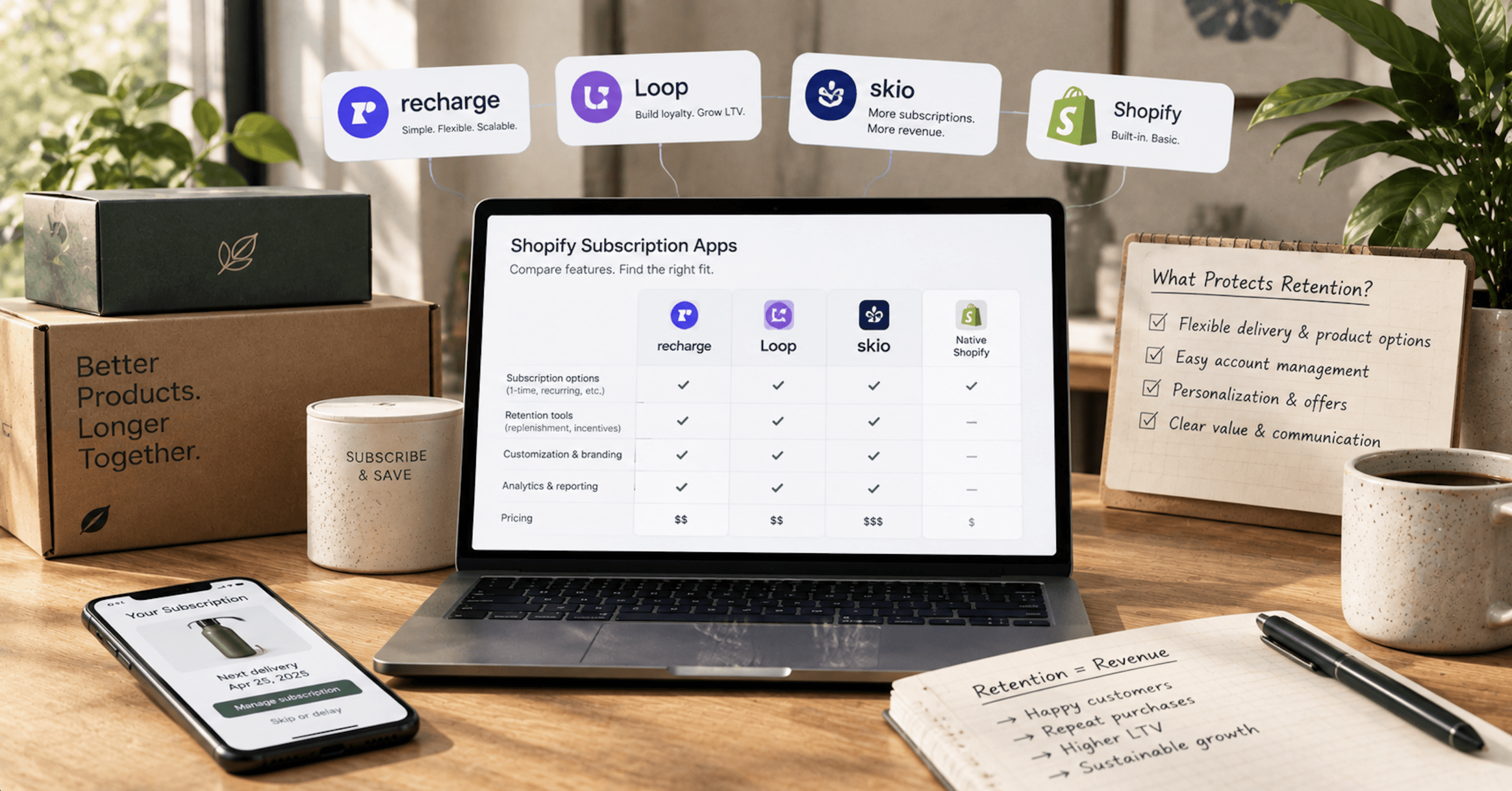
Choosing a Shopify Subscription App: Recharge, Loop, Skio, and What Protects Retention
Recharge acquired Skio in April 2026, so two of the names on your shortlist now share an owner. The best Shopify subscription app for your store comes down to two questions: what happens when a card fails, and what happens when you want to leave.

AI Shopping in 2026: Getting Discovered in AI and Closing the Sale on Your Own Store
An AI shopping assistant compares the options, filters by budget, reads your product page, and hands the buyer to your checkout already sold. What happens next is entirely on you. Here’s what that handoff costs, what it protects, and where the orders actually show up.
Not sure where the gap is? That's exactly what the Digital Marketing Growth Audit is for.
A free, no-obligation look at where your site can win more traffic and conversions, with a clear digital marketing roadmap to get there. Just a straight read on where your digital presence stands and where it's headed.