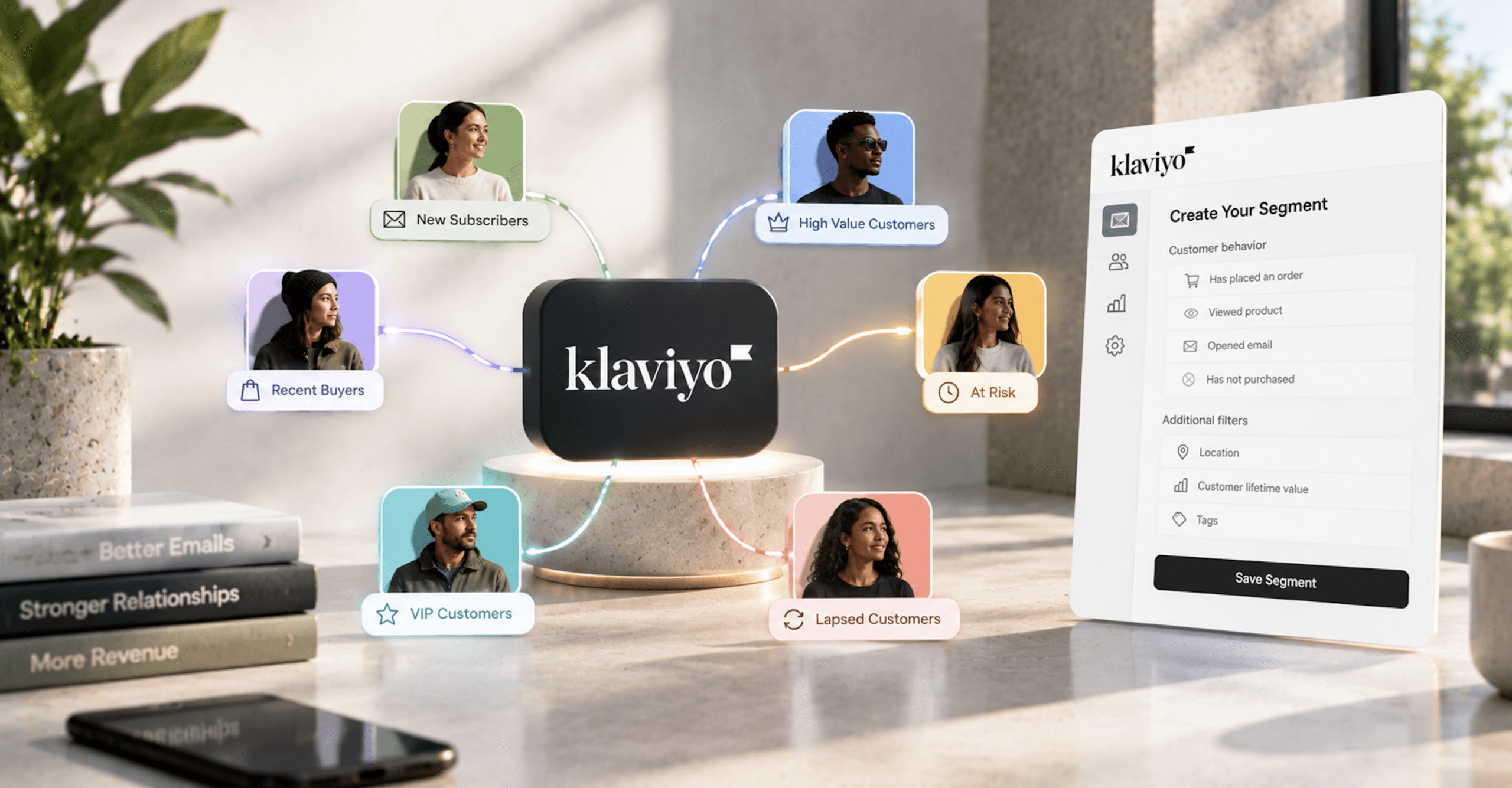
A Klaviyo segment is a set of conditions. It doesn’t send anything. Every message a segment affects goes out through a campaign audience, a flow trigger, or a flow filter, and each of those has its own documented rules for who actually receives it. A segment that sends is only useful when it’s built for the specific flow or send rule it feeds and the settings that connect the two are right.
We’re a Klaviyo Partner, and we build segment libraries as part of the lifecycle programs we run for Shopify brands. What follows is the structure we’d walk a client through: each segment, the flow or rule it feeds, and the Klaviyo mechanic that decides whether a message goes out.
How Klaviyo Segmentation Works: Segments Are Conditions, Not Delivery
Lists and segments sit next to each other in Klaviyo and behave differently. Klaviyo’s doc on segments versus lists (opens in new tab) says it directly: “Unlike dynamic segments, lists are static.” Someone joins a list through a form, an import, or a manual add, and stays until they’re removed. A segment recalculates: “Segments will grow as new people meet the conditions and shrink as people no longer meet them.”
That difference decides what each one can do. The same doc notes that “you cannot quick add, import a segment, or make a signup form to add subscribers to a segment, but you can do that for a list.” Klaviyo recommends one main list per channel holding every consented, active profile, and gives segments three jobs: targeting campaigns, triggering flows, and analysis. If you need a frozen copy of a segment, a snapshot “will create a separate list that contains all the profiles in the segment at the moment of the snapshot,” per Klaviyo’s getting started with segments (opens in new tab) guide.
Segments don’t check consent unless you tell them to. Klaviyo’s segments-versus-lists doc states: “Otherwise, segments pull from everyone in your account, including people who have not necessarily opted in to receive marketing emails from you.” So every segment you send to needs a consent condition in its definition, which the next section covers.
The number on a segment isn’t the number a campaign sends to. Klaviyo’s article on segment counts and estimated audiences (opens in new tab) explains that the campaign builder’s estimate runs smaller because it applies suppression, channel consent, and Smart Sending on top of membership, and “The final send count is determined at send time, when Klaviyo takes a snapshot of everyone who still qualifies for the audience and is eligible to receive messages.”
A campaign can target at most 15 lists or segments, and Klaviyo “automatically deduplicates any profiles that appear more than once so that none of your users receive the campaign more than once,” according to its multi-audience campaign doc (opens in new tab). Anyone in a Don’t send to group is subtracted from the included groups.
The Consent Condition Klaviyo Segmentation Needs
Klaviyo changed its consent condition in October 2023. The segment conditions reference (opens in new tab) records it: “In October 2023, the condition If someone is or is not suppressed for email was replaced by the condition If someone cannot or can receive marketing.” That condition is broader than the name suggests. A profile that isn’t suppressed and has never subscribed still counts as able to receive email marketing.
To limit a segment to opted-in profiles, Klaviyo’s instruction is: “If you’d like your segment to only contain profiles that are consented (i.e., opted in) to a marketing channel, add the condition above. Then, click Add filter and select because person > subscribed.” Without that filter, the segment includes profiles Klaviyo marks with a yellow exclamation status: they can receive email because they aren’t suppressed, but they’ve neither subscribed nor opted out.
Klaviyo’s suppressed profiles doc (opens in new tab) says of them that “you should exercise caution when contacting them.” They can still receive email, an abandoned cart message for example, without having subscribed.
Suppression sits on top of consent. Klaviyo lists the reasons a profile gets suppressed: a hard bounce, soft bounces more than 7 consecutive times (only soft bounces in the past 2 years count), a spam complaint, a manual suppression, or a suppression synced from a previous ESP. “A suppressed profile cannot receive marketing messages, even if they have provided consent and indicated they want to receive emails.” Unsubscribes show up as a consent status, not a suppression reason.
Two edge cases don’t show up in the standard conditions. List-specific suppressions, which exist on paid plans with global unsubscribe turned off, aren’t caught by the cannot-receive-because-suppressed condition. And the segment conditions reference notes that the GDPR condition “does not include people located in the UK, so an additional location-based rule should be added to your segment definition in order to comply with GDPR UK legislation.” Flow filters got matching consent changes, documented in Klaviyo’s flow filtering on consent reference (opens in new tab).
How Often Klaviyo Segmentation Updates
Do Klaviyo segments update automatically? Yes. Klaviyo’s article on how segments update (opens in new tab) says “Most segments update in close to real time, and profiles move in and out of segments based on whether or not their interactions with your brand match the conditions you set.” It adds that “In some cases, a high volume of segmentation requests across our customer base can cause delays.”
How often do Klaviyo segments update? It depends on which side of the condition moves. A qualifying action adds a profile right away, but a profile that stops qualifying because time passed is removed on a daily cycle: “Because there’s no event triggered by not purchasing, profiles that no longer qualify for the segment will be removed once per day.” Klaviyo’s example is a purchased-in-the-last-30-days segment that adds a buyer immediately and drops a buyer who hasn’t reordered on day 31.
A window like between 30 and 60 days ago adds and removes profiles once every 24 hours on both sides. A flow triggered by that kind of segment can only pick someone up when the segment adds them, so expect entries in a daily batch rather than at the moment a customer crosses day 30. Klaviyo’s conditions reference also notes that “These calculations are based on UTC,” which sets where each day’s boundary falls.
Two other time windows are documented, each for a specific action: “If you manually update a segment, it can take up to 15 minutes to process” and “If you are monitoring a segment, updates can take up to an hour”. Manual updates have a side effect on flows: “Note that manually updated segments don’t allow users to enter segment-triggered flows.” A new segment also needs time; Klaviyo’s getting-started doc says “Depending on the size of your segment, it may take a while to populate.”
Unused segments go inactive. Klaviyo’s inactive segment doc (opens in new tab) defines them: “Inactive segments are any segments that you have not used in the last 45 days (for regular segments) or 365 days (for starred segments).” An inactive segment isn’t available for campaigns, flow triggers and filters, exports, or signup forms until you reactivate it, and “General segment activity (i.e., profiles moving in and out of segments based on its definition) does not prevent a segment from becoming inactive.” A segment-triggered flow keeps its segment alive: “As long as the flow is active, the segment will also remain active.”
Segment-Triggered Flows: When Klaviyo Segmentation Sends a Message
Klaviyo flows have six trigger types: Added to list, Added to segment, Metric, Date property, Price drop, and Low inventory, per its flow triggers and filters doc (opens in new tab). “Performance metrics such as Opened Email and Clicked Email cannot be used to trigger flows.” The Added to segment trigger is where Klaviyo segmentation turns directly into sends, and its entry rules are narrow.
The core rule, from Klaviyo’s segment-triggered flow doc (opens in new tab): “A profile triggers a segment or list-based flow when they newly qualify for the segment or list.” It adds that “A flow triggers only when a profile’s data causes them to organically enter the segment,” and that “Manual edits to a segment’s definition do not trigger flows.” Other paths that don’t count include manually adding profiles, merging profiles or lists, repeat activity while someone’s already in the segment, and integrations that add profiles without triggering flows.
That rule affects launch day. If you build a segment-triggered flow on a segment that already has members, none of them enter, because “Segment-triggered flows will only trigger when someone is added to the segment organically,” per Klaviyo’s troubleshooting doc (opens in new tab). The documented fix is Add past profiles (opens in new tab), which places existing members either relative to when they joined or as if they’d just joined. The segment-triggered flow doc adds: “Adding past profiles does not count as new qualification and does not re-trigger the flow.”
Re-entry decides whether someone can go through the flow a second time. Klaviyo’s segment-triggered flow doc says the current setting offers No re-entry, Allow re-entry, or Allow re-entry after a time period, and new segment-triggered flows default to No re-entry, as list-triggered flows do, while metric and date property flows default to Allow re-entry. “Re-entry criteria now serves as the single source of truth for flow entry behavior,” and the flow triggers doc notes that “The Re-entry criteria is only checked when someone enters the flow organically.” By default, then, a segment-triggered flow sends once per profile, and changing re-entry is what lets someone who leaves and rejoins the segment receive it again.
The same doc also says the setting hasn’t reached every account yet and will be available to everyone soon, so check your flow settings before assuming you have it. One more rule applies after entry: “Recipients will only receive messages within a flow if they are still a member of the connected segment at send time.” In a multi-email VIP or winback sequence, someone who drops out of the segment between messages stops receiving the rest.
Segment triggers aren’t the default choice for every flow. Klaviyo’s getting-started doc says “Any segment that leverages the metrics from the What someone has/has not done dropdown can also be built using a metric-triggered flow,” and its example for following up on a specific product purchase is a Placed Order trigger with a trigger filter, not a segment trigger. Segment triggers fit entry that depends on a state or on several conditions at once, such as VIP status, a sunset definition, or an RFM group change. Our 2022 list of basic and advanced Klaviyo flows covers which flows to build first.
Klaviyo Segmentation in Flow Filters
Trigger filters and profile filters look alike and run on different schedules. Trigger filters read the data on the triggering event, exist only for metric, custom object, and price drop flows, and “Metric-based trigger filters are only checked when an individual first enters the flow.” Profile filters read the profile itself: “Profile filters are checked when someone first enters a flow and before each action takes place”. Both rules come from Klaviyo’s flow triggers and filters doc (opens in new tab).
A profile that fails a profile filter at one step stays in the flow. “We do not remove someone from a flow completely if they fail the flow’s filters at a single step; contacts will continue to be scheduled for the next step.” Per-message additional filters apply to that one message only. The re-check is what makes a placed-order-since-starting-this-flow filter work in a cart sequence: someone who buys after the first email fails the filter before the second, a setup our abandoned cart email flow build walks through.
Which Shopify event you filter on also matters. Placed Order and Ordered Product sync seconds apart, and Klaviyo’s Shopify data reference (opens in new tab) says “As a best practice, use the Placed Order event to trigger and filter flows and segments.”
Klaviyo Segmentation Paired With the Flows It Feeds
Below is the core library we’d map for a Shopify brand, with each segment next to the flow or send rule it feeds and the mechanic that decides whether a message goes out. For how those flows rank against each other on return, see our Klaviyo flows ranked by return.
| Segment | What it feeds | The mechanic that decides whether it sends |
|---|---|---|
| Engaged (subscribed, opened or clicked recently) | Regular campaign audience | The “because person subscribed” consent filter; final count set at send time |
| Unengaged | Don’t send to on campaigns; matching profile filter on high-volume flows | Exclusions subtract from included groups; profile filters re-check before each message |
| Sunset (Email) | Sunset flow, segment-triggered | Organic entry only; suppression is a manual step outside the flow |
| Recent and repeat buyers | Post-purchase campaigns and cross-sell | Placed Order data; time-based exits processed once a day |
| Lapsed buyers (purchase window) | Winback flow, segment-triggered | Daily recompute; No re-entry by default; membership checked at send time |
| VIP or high predicted CLV | VIP flow or campaign tier | Predictive analytics eligibility; model retrained weekly |
| RFM group | Flow triggered on Current RFM group | Paid subscription; properties refresh nightly |
| Shopify customer tag (e.g., Wholesale) | Exclusion from retail campaigns and flows | Shopify Tags list property; Includes any of operator |
Engaged Segments and Campaign Audiences
Klaviyo’s engaged segment doc (opens in new tab) defines the recommended version as: can receive email marketing because subscribed, and opened or clicked an email at least once in the last 30 days, with an optional clause for anyone who subscribed in the last 15 days. Its reasoning: “Sending to unengaged subscribers puts your sender reputation and deliverability at risk.” For infrequent senders, it suggests “a long time period (e.g., 60 days rather than 30 days).” It also allows wider sends for big moments: “For large promotions (e.g., Black Friday, product release, etc.), you can consider expanding your sending lists, but for your regular campaigns, engaged sending is essential.”
New accounts come with Engaged 30, 60, and 90-day segments, and Klaviyo’s default lists and segments reference (opens in new tab) says “Your engaged segment is the primary group of people that you should send to.” The engaged-segment doc flags that Apple Mail Privacy Protection inflates opens, so an open-based engaged definition will count some people who never read the email. Klaviyo’s advanced segmentation reference (opens in new tab) suggests several engagement tiers instead of one engaged/unengaged split, for example recent purchasers within four months and nearly lapsed customers at 4 to 13 months. For how mailbox providers read engagement signals, see our email deliverability guide for 2026.
Klaviyo’s getting-started doc states that “Highly segmented campaigns return more than 3 times the revenue per recipient as unsegmented campaigns.” That’s a vendor claim from a Klaviyo analysis of Q4 2017 campaigns sent by US-based Klaviyo customers, published as its Email Segmentation for eCommerce benchmark report (opens in new tab), which reports $0.19 revenue per recipient for highly segmented sends against $0.06 for unsegmented ones. The report says it analyzed 2,619,441,297 emails sent between October 1 and December 31, 2017.
The report sorts sends by how much of the list they reached, not by what the segment was: “Highly segmented: emails sent to <20% of list" and "Unsegmented emails: sent to 90%+ of list". It also states an assumption: "We assume that when lists are highly segmented to a small portion of the overall base, those campaigns are being sent to engaged subscribers." So the study compares small, presumed-engaged sends with near-full-list sends, from data that predates Apple's Mail Privacy Protection, which means its open rates don't transfer to today. It supports engaged sending in general more than it supports any particular segment.
Unengaged Klaviyo Segmentation for Exclusions
How do you create an unengaged segment in Klaviyo? Klaviyo’s unengaged segment doc (opens in new tab) defines it as: can receive email marketing, received email at least 5 times over all time, opened 0 times in the last 90 days, and clicked 0 times in the last 90 days. Its reason: “Sending to unengaged profiles who haven’t engaged with your emails in 3-6 months can result in inbox providers (e.g., Gmail, Yahoo, Outlook) placing your emails into the spam folder.” Klaviyo’s list-cleaning doc (opens in new tab) adds that brands sending daily or several times a week should consider 30 days instead of 90, and that an account that recently moved from another ESP should include that platform’s open and click data.
This segment is for exclusion. On campaigns it goes in Don’t send to. On high-volume flows, Klaviyo’s instruction is a flow filter “that matches your unengaged segment,” meaning the same conditions rebuilt as a profile filter, which then gets re-checked before every message. Klaviyo also says where not to apply it: “It’s fine to allow these contacts to enter flows for certain key touchpoints, like a re-engagement or abandoned cart flow.”
The Klaviyo Sunset Flow
A Klaviyo sunset flow gives long-unengaged subscribers a final set of messages before they’re suppressed. Klaviyo’s sunset flow doc (opens in new tab) defines the Sunset (Email) segment as: can receive email marketing, created at least 180 days ago, received email at least 5 times in the last 72 weeks, and zero opens, clicks, Active on Site, Viewed Product, Checkout Started, and Placed Order events over all time. “This definition also appears as the prebuilt Sunset (Email) segment in the Segment Library, and it is the same logic Klaviyo uses for suppression recommendations on the Suppressed profiles page.”
Klaviyo recommends one to three emails, then marking anyone who still doesn’t engage with a boolean profile property and suppressing them. The flow can’t do the suppressing: “It is not currently possible to suppress profiles as a Flow Action.” Because entry is organic, a sunset flow built on a segment that’s already full needs Add past profiles to reach the people who qualified before launch.
How do you suppress a segment in Klaviyo? Build a segment on the property the sunset flow set, then use Suppress current members on it. Klaviyo’s sunset flow doc says that action covers only the profiles in the segment at that moment, not anyone who joins later, and that you have to repeat it each time before sending a campaign.
Purchase-History Segments From Shopify Data
Shopify supplies most of the purchase data behind Klaviyo segmentation. Klaviyo’s Shopify data reference (opens in new tab) lists the synced events, including Checkout Started, Placed Order, Ordered Product, Fulfilled Order, Cancelled Order, Refunded Order, shipment events, Active on Site, Viewed Product, Viewed Collection, Submitted Search, and Added to Cart. Placed Order carries filterable properties such as $value, Items, Collections, Item Count, Discount Codes, Total Discounts, and Source Name. Ordered Product fires once per item with SKU, variant name, variant options, and product tags: “This is useful when creating behavioral segments based on product variant options and other detailed information that’s not available in the Placed Order event.”
Some sync details change what a purchase segment contains. The initial sync pulls the last 90 days first, then full history, and runs in real time after that. “Klaviyo only receives events from fully refunded orders (not partially refunded orders),” and Klaviyo doesn’t subtract canceled and refunded orders from revenue the way Shopify does, so a revenue-threshold VIP segment in Klaviyo may include customers whose Shopify net revenue falls below the threshold. “Please note that profiles deleted in Shopify are not correspondingly deleted in Klaviyo.”
Connecting Shopify also adds prebuilt segments: Churn Risks, Potential Purchasers, VIP Customers, Winback Opportunities, and Repeat Buyers, per Klaviyo’s default segments reference. Treat them as drafts and check each definition against the flow it’s going to feed. For how purchase segments become a repeat-order program, see how a properly built Klaviyo setup turns purchase history into repeat revenue.
Klaviyo Segmentation With Predictive Analytics
Klaviyo predictive analytics adds fields you can segment on: predicted gender, historic CLV, predicted CLV, total CLV, predicted number of orders, and average time between purchases, per the segment conditions reference (opens in new tab). Klaviyo’s predictive analytics doc (opens in new tab) defines predicted CLV as predicted spend over the next year, and says “Klaviyo automatically builds a Customer Lifetime Value (CLV) model using your company’s data and retrains the model at least once a week.” Predicted gender is based on first name and census data.
The fields only appear once an account clears a data gate. The predictive analytics doc requires at least 500 customers who’ve placed an order (non-zero value, not canceled or refunded), at least 180 days of order history with orders in the last 30 days (the segment conditions reference says 90), some customers with 3 or more orders, and an ecommerce integration or orders sent through the API. The 500 counts customers who placed an order, not profiles and not orders.
Klaviyo’s own caution: “predictions work best when averaged over many customers and are not expected to be exact for any single individual.” That makes predicted CLV a better input for campaign tiers than a per-person trigger. The expected date of next order also doesn’t consider which products someone bought, so for products with known replenishment cycles Klaviyo recommends a Placed Order-triggered flow with trigger filters instead.
RFM Segments Need a Paid Klaviyo Subscription
RFM isn’t part of the standard product. Klaviyo’s RFM getting-started doc (opens in new tab) states: “Advanced KDP and Marketing Analytics are not included in Klaviyo’s standard marketing application, and a subscription is required to access the associated functionality.” With the subscription, the account still needs the same data as predictive analytics: 500 customers who’ve placed an order, an integration or API orders, 180 days of history with orders in the last 30 days, and some customers with 3 or more orders. Access is limited to Owners, Admins, Managers, and Analysts.
Each customer gets a 1 to 3 score for recency, frequency, and monetary value. By default, recency scores 3 for a purchase within 180 days, 2 within 365 days, and 1 beyond that, while frequency and monetary value split into thirds, according to Klaviyo’s RFM scoring doc (opens in new tab). Only orders with a positive value count. Customers fall into six groups: Champions, Loyal, Recent, Needs attention, At risk, and Inactive.
To segment on RFM, use the Current RFM group or Previous RFM group profile property with the type set to Text, per Klaviyo’s RFM segment doc (opens in new tab). Klaviyo’s RFM getting-started doc (opens in new tab) says those properties refresh nightly, and within 2 hours of an RFM settings change: “Keep in mind that the RFM dashboard updates immediately while the changes on a profile record update with a delay.” A group change can drive a flow too, by using Current RFM group as the flow trigger or in a conditional split.
Klaviyo’s help center has documented multiple RFM models (opens in new tab) since September 2026. “You can create up to 4 models per account,” and “Each model has its own conversion metric and its own thresholds.” With several models, “To trigger a flow on a change in one model, use that model’s Current RFM group property in your flow trigger or conditional split.” The same doc cautions that “A model with only a few hundred customers produces groups too small to act on,” and that new model properties “take up to 2 hours to appear in profiles, segments, and flows.”
Channel Affinity Has Its Own Gate
Channel affinity doesn’t share the predictive analytics gate. Klaviyo’s channel affinity doc (opens in new tab) says “Criteria for channel affinity differs from other Predictive Analytics features, and you can qualify for it independently.” It requires at least 2 activated channels, at least 1,000 profiles with at least 1 delivery through each channel, at least 5,000 campaign deliveries on each channel in the last 6 months, and at least 1 engagement on each channel.
“Channel affinity properties are re-evaluated and updated every 2 weeks,” so a segment built on them moves on a two-week cycle, not a daily one. It’s a tool for brands running email and SMS as one program, and the consent condition covered above applies to SMS and push as well as email.
Shopify Tags in Klaviyo Segmentation: Four Things Called Tags
A Shopify store connected to Klaviyo has four things called tags, and only two of them change who’s in a segment.
Shopify customer tags change membership. Klaviyo’s Shopify tags doc (opens in new tab) explains that “Klaviyo’s Shopify integration creates a single “Shopify Tags” property, which is stored as a list data type on the Klaviyo customer profile.” Klaviyo’s Shopify data reference says that property holds “Any custom tags assigned to that customer in Shopify, e.g., Wholesale or VIP,” and the Shopify tags doc shows it working in segments and profile filters.
The Shopify tags doc calls the matching operator contains, but the conditions reference explains that “Until October 2024, Klaviyo only supported Contains for list types. That operator is now called Includes any of to distinguish it from the new Contains the text operator.” For an exact tag match, use Includes any of, and remember that values are case sensitive.
Shopify product tags change membership too, through the Tags property on each Ordered Product event. A segment on customers who ordered a product with a given tag reads that event, not the Placed Order event.
Shopify order tags often don’t. Klaviyo’s Shopify data reference says: “Because we sync all metrics in real-time, any tags – such as Order Tags – that might be added to an order after it is processed will not sync into Klaviyo.” A segment built on a tag that an app or a staff member adds after checkout will stay empty, which is one of the checks in a Klaviyo account audit.
Klaviyo’s own tags don’t touch membership at all. Per Klaviyo’s list and segment tag doc (opens in new tab), “In Klaviyo, tags serve as labels that help you efficiently organize and manage items in Klaviyo (i.e., contact lists and segments).” Segments defined with AI get an automatic klaviyo-ai tag, and segments built from funnels get a Funnel Analysis tag, both for organizing only.
Shopify’s own customer segments are a separate case. Klaviyo’s Shopify segment sync doc (opens in new tab) says “Shopify customers can sync segments built in Shopify to Klaviyo as lists,” and those lists “Do not update as segment membership changes in Shopify, or if segments are deleted.” The sync needs the Klaviyo Shopify integration and the Klaviyo app embed turned on in Shopify. Anything that should change over time has to be rebuilt as conditions in Klaviyo.
Building Klaviyo Segmentation Logic That Holds
Klaviyo’s segment conditions reference (opens in new tab) groups conditions into these seven families. An eighth condition, Steps someone has taken in a specific order, appears in Klaviyo’s funnel segments doc (opens in new tab), which calls it “the event funnel segmentation condition,” and covers sequences. The funnel doc lists that feature as “Available to customers with the Marketing Analytics or Advanced Klaviyo Data Platform (AKDP) products”. Custom properties from quizzes and preference forms fall under properties about someone, which is where zero-party data from your forms becomes usable in segments.
- What someone has done or not done
- Properties about someone
- Where someone is located
- If someone is or is not in the EU
- If someone is in or not in a list
- If someone can or cannot receive marketing
- Predictive analytics about someone
AND and OR cause the most common logic error. Klaviyo’s getting-started doc notes “By default, the operator is set to OR but this can be toggled to AND at any time,” and its AND vs. OR reference (opens in new tab) explains that “Using the AND connector between conditions will make a segment or flow filter more exclusive.”
Negative conditions joined with OR, such as country doesn’t equal USA OR doesn’t equal Canada, include every profile with a country set, since each one fails at least one. To exclude both countries, join them with AND.
Event conditions have their own limits. The conditions reference caps filters: “You can have a maximum of 10 filters for each event condition,” and the getting-started doc notes “Only top-level properties are available for segmentation, so nested data (i.e., second- and third-level data) will not appear in the dropdown menu.” Date operators aren’t supported on event properties, so the documented workaround is to save the date as a profile property. Values are case sensitive, and the value dropdown lists up to 1,000 unique values, though you can type one that isn’t listed.
Missing data behaves in a specific way. Since April 2023, profiles where a boolean property doesn’t exist are left out of evaluation rather than treated as false, per Klaviyo’s null and empty values doc (opens in new tab). Klaviyo’s RegEx doc (opens in new tab) adds matches regex and does not match regex operators for profile properties and for event and sequential condition filters, and notes that “Regex always matches the complete value from beginning to end.”
Segment membership as a condition works differently from list membership. The conditions reference documents in or not in a list, and a segment-membership condition isn’t among the documented conditions. The Segments API overview (opens in new tab) describes the group-membership field as “An array of list IDs (only lists are supported).” If you need one segment’s population inside another, rebuild its conditions or snapshot it to a list.
Preview before saving. Klaviyo’s segment preview doc (opens in new tab) supports estimated counts and sample profiles for segments with 100 or fewer criteria, and notes that “Your Segment profiles count cannot be larger than the smallest criterion count.” A segment far smaller than you expected usually means one condition is narrower than you meant it to be.
Klaviyo can now draft segments for you. Define with AI (opens in new tab) is for paid accounts, and Klaviyo’s getting-started doc says its button doesn’t appear when you edit an existing segment. Composer, Klaviyo’s AI marketing agent, which Klaviyo still badges as an early release in its navigation, can draft segments from plain language: “Composer drafts the segment, but you stay in control: you review it and save it yourself before it becomes part of your account,” and “It can’t invent a property you don’t have, so a segment can only be as specific as your data allows,” per Klaviyo’s Composer segments doc (opens in new tab). Klaviyo’s advice there is “Check the profile count before you save.”
Composer can also audit a segment library (opens in new tab): “Segments: Composer reviews your segment library for broken logic, duplicate or overlapping segments, coverage gaps, and deliverability or consent risks.” Audits draw on Composer credits. The same doc says “Composer is advisory,” so its findings still need someone to check them against the flows each segment feeds.
Klaviyo Segmentation Limits
Klaviyo published its list and segment limits (opens in new tab) in a help article created in March 2026. “For most accounts, the default limits are:” up to 1,000 lists, up to 1,000 active segments, no limit on inactive segments, and up to 100 criteria per segment, with starred segments counted within the segment limit. “Some accounts may have different limits due to legacy configurations or approved overrides,” and “No existing lists or segments are automatically deleted as part of this enforcement.”
Inactive status is how you stay under the active cap: “Use inactive segments to store definitions you don’t need to run actively, without counting against the active segment cap.” Other caps have their own subjects: 15 lists or segments per campaign, 10 filters per event condition, 500 zip codes bulk-added on a Zip Code property condition, and up to 4 RFM models per account. The Segments API caps processing at “Maximum of 5 segments processed at a time.” and creation at “Maximum of 100 segments created per day.”, which is a limit on segments created through the API, not the 100-criteria limit on a single segment.
Where to Start With Klaviyo Segmentation
For an account whose email list segmentation is one engaged segment and a weekly campaign, this is the order we’d build in:
- Add the because person subscribed filter to every segment used as a campaign audience.
- Pair an unengaged segment with campaign exclusions, a matching filter on high-volume flows, and a sunset flow.
- Build purchase-history segments on Placed Order and connect the winback and VIP flows, checking Add past profiles and re-entry on each.
- Map Shopify customer tags you already use, and move any segment built on late order tags onto customer or product data.
- Add predictive analytics and RFM segments once the account clears Klaviyo's predictive analytics data gate, and for RFM, holds the subscription.
The first three steps don’t depend on eligibility gates or add-ons, and they cover the delivery rules that decide whether a segment reaches anyone. Predictive and RFM segments refine who gets which message; the consent filter, organic entry and re-entry decide whether anyone gets one.
If you want someone to check that wiring on your account, our segmentation audit is a no-obligation look at your customer data, your current segmentation, and the segments you haven’t built yet, with a plan for activating them. The same page has the form for a free Growth Audit if the problem goes beyond segments. You’ve already got the customer data. We make sure your segments actually use it.

SEO Content Calendar for Shopify: Build It From Demand, Seasons and Your Catalog
An SEO content calendar is the last step of the plan, not the plan. Here’s how to build one for a Shopify store from the demand Search Console already shows you, the seasons Google Trends can measure, and the products you actually sell.

Magento 2 End of Life: Adobe’s Real Support Dates and Your Three Options
Magento 2 doesn’t have one end of life date. Your deadline depends on your release line, your edition, and your hosting, and every Adobe Commerce on Cloud store on 2.4.4 through 2.4.7 has an enforced upgrade date coming. Here are Adobe’s dates, line by line, and the three ways forward.

LLM SEO For Shopify: The On-Page Work Each AI Engine Actually Documents
Google says its AI search needs no special markup, Microsoft recommends schema and snippable answers, and Shopify scores your products on five listing signals for AI channels. This is what each vendor documents, and the work it points to on a Shopify store.
Not sure where the gap is? That's exactly what the Digital Marketing Growth Audit is for.
A free, no-obligation look at where your site can win more traffic and conversions, with a clear digital marketing roadmap to get there. Just a straight read on where your digital presence stands and where it's headed.