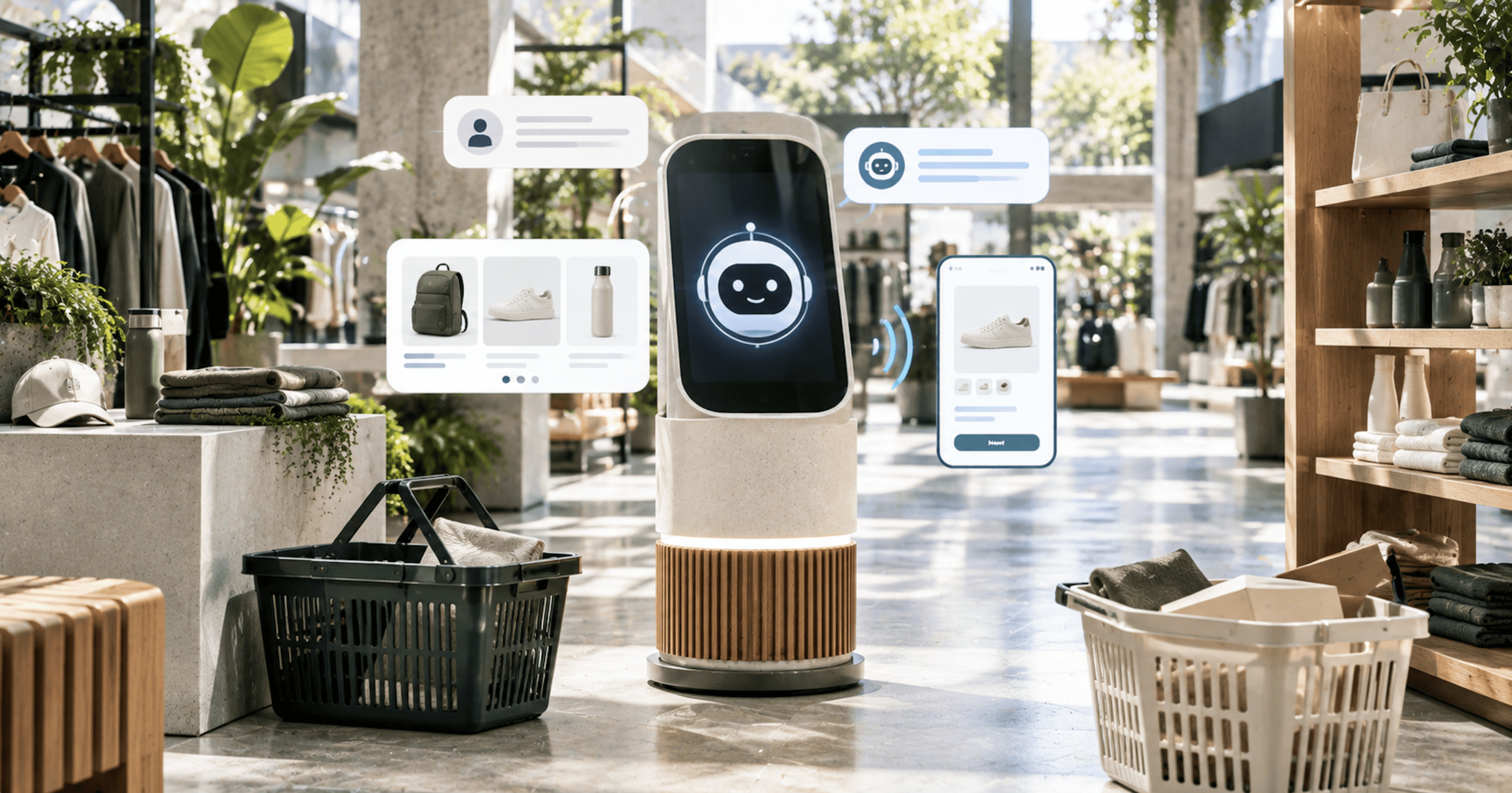
Most merchants approach this as a purchase: which AI shopping assistant do we buy, and what does it cost. In 2026 that’s the wrong first question. If your store runs on Basic, Grow, Advanced, or Shopify Plus, you can turn on a customer-facing AI shopping assistant today for nothing.
That changes the decision. The useful questions are what the assistant can see, what it can’t do, and what a paid vendor would actually be selling you on top. We build and run these stacks for DTC brands, and this is the analysis we’d give a client sitting on a quote.
Getting found inside AI surfaces in the first place is a different job, covered in our look at getting discovered in AI and closing the sale on your own store.
Your Store Probably Already Has an AI Shopping Assistant
Shopify Inbox is a free app (opens in new tab) published by Shopify, and Shopify describes it as putting an AI-powered sales associate on your storefront. It’s available only for stores on the Basic, Grow, Advanced, or Shopify Plus plan (opens in new tab).
It isn’t on by default for stores that already had Inbox. There are three assignment modes: all conversations, only when your staff is unavailable, or never. Never is the default setting for stores that had Inbox installed before the Inbox agent was available, and until you turn on the Inbox agent, your conversations stay with your staff. If you installed Inbox years ago for live chat, the agent is sitting in your admin switched off.
Once it’s on, Shopify says the Inbox agent can answer product questions, make personalized recommendations, help with order lookups, and add items to a customer’s cart. It also replies in the customer’s language. Shopify says that when buyers sign in with Shop, your Inbox agent can personalize replies using their preferences and purchase history from across Shopify.
The free floor isn’t only Shopify’s. Microsoft’s Clarity app is free (opens in new tab), Tidio has a free tier covering live chat with 50 users (opens in new tab) and Flows reaching up to 100 visitors a month, and Rep AI is free to install (opens in new tab) with 100 visitors a month included. A chat widget with a language model behind it is no longer something a merchant buys. Paid tiers buy volume, actions, integrations, and measurement, which is a much narrower purchase than most vendor pitches imply.
What It Reads, and Where It Gets Its Facts
Shopify says the Inbox agent answers customer questions by using your product catalog, store policies, Knowledge Base facts and files, and published storefront content (opens in new tab) such as pages, blog posts, sizing guides, and product care guides. Shopify also says it uses your store sources, not web search, for product facts, care instructions, usage ideas, and styling guidance, and that it bases product recommendations on your store catalog only. Web search is permitted only as a cited secondary source for qualitative material like reviews, ratings, and social proof on a product that’s already in the catalog.
Facts and tone come from different places, and conflating them is the most common way merchants break this. The persona controls how the assistant communicates (opens in new tab): its tone, wording, personality, and service style. Store facts added only to the persona aren’t treated as source information and might not be used consistently. A return window pasted into the persona field is a stylistic suggestion, not a policy the assistant is reading from.
The place those facts belong is the Knowledge Base app, where the information acts as a data source that AI agents can use to generate responses (opens in new tab). The app generates business facts out of your store settings, including languages, customer account options like submitting return requests or paying with store credit, shipping and delivery settings such as which countries you ship to and whether pickup in store is offered, and returns settings. That’s the native, free answer to “how do I stop it inventing my policies,” and it costs nothing but an afternoon.
Your product copy, policy pages, and guides now have a second reader that answers customers out loud, so a thin product description isn’t just a conversion problem any more. And Shopify puts the liability on you: “You’re responsible for the accuracy of the information that the Inbox agent provides to your customers.”
Training doesn’t change any of that. There are two training methods, practice scenarios generated from your catalog and persona, and rating real conversations, and training doesn’t change what your Inbox agent knows about your store (opens in new tab). Ratings produce suggested persona updates you review, and updates are never applied automatically.
Thumbs-down feedback tunes voice. Fixing a wrong answer means fixing the source it came from.
The Limits on Shopify's AI Shopping Assistant
The binding limit is that the Inbox agent only operates within your online store’s chat widget (opens in new tab). This is a storefront assistant, not an omnichannel agent. Email, SMS, Instagram DMs, and marketplace messages are all outside its reach, and email isn’t a workaround: the Inbox agent can’t send email on your behalf (opens in new tab), and the customer must initiate email contact.
The volume caps are generous. In a single conversation the agent responds to up to 100 messages for customers who aren’t signed in (opens in new tab) and up to 1,000 for signed-in customers, and each customer can start up to 50 conversations per day with your store. Those are per-customer abuse controls, not commercial ceilings. A signed-out shopper would have to send a hundred messages in one sitting to reach the first one, so unlike a paid vendor’s monthly allowance, nothing here throttles a busy Black Friday.
Customer accounts are a real gate. The Inbox agent doesn’t work with legacy customer accounts, and order lookup always requires the customer to sign in, whether or not you require sign-in for staff chat. If you’re still on legacy accounts, the fix is an accounts migration rather than a settings change, and it stands between you and both order lookup and the Shop-based personalization described above.
You can’t white-label it either. Customers receive a notice that the chat is powered by Shopify and that they’re chatting with AI, and this notice is displayed automatically and can’t be removed or customized. For most brands that’s fine, and disclosure is where the regulatory wind is blowing anyway. For a brand that deliberately keeps its platform invisible, the chat window names Shopify permanently and can’t be changed.
The persona can’t be used to engineer around any of this, because a persona can’t override Inbox settings or built-in safety behavior. Shopify specifically warns against personas written to prevent all staff handoffs, to require a product recommendation in every reply, or to route every conversation to a single contact. If your plan for the assistant depends on one of those, the plan is the thing that breaks.
Can it process a return, a refund, or a cancellation? Shopify doesn’t list any of those actions among the Inbox agent’s capabilities. Put the question to any vendor selling you an assistant that takes actions instead of answering questions. Action-taking is one of the few concrete things a paid tier can sell you over the free one, so make the vendor name the actions and show you the audit trail.
Where Your AI Shopping Assistant Hands Off to a Human
Handoff has two outcomes, and only one of them is what merchants picture. When staff handoff is available, the conversation moves to the Unassigned folder in your Inbox (opens in new tab), where your staff can pick it up, and it includes the AI’s prior context. When it isn’t available, the customer receives your store’s sender email address and can contact you by email.
Availability is driven by the hours you set (opens in new tab). During staffed hours, a customer asking for a person reaches a person. Outside them, they get an email address. A brand that sets the agent to all conversations without staffing the inbox has quietly converted “talk to a human” into “here’s our email,” at the exact moment a frustrated shopper asked for help.
The decision that follows is a staffing decision, not a technology one. Run the agent on “only when your staff is unavailable” if you have coverage worth routing to, or accept the email fallback deliberately and measure how often it fires. That second number, the share of handoff requests that happened while no human was reachable, is one your vendor won’t report and your support team will feel first.
Sidekick Is Not a Shopping Assistant, and Shopify Says So
"Sidekick can't talk to your customers or handle customer support conversations on your behalf."
Sidekick is the assistant for you, inside the admin. Shopify defines it as an AI-enabled commerce assistant in your Shopify admin (opens in new tab) that you use to get guidance, generate content, build apps, and complete tasks using everyday language, and it runs in two modes, chat and proactive recommendations through Sidekick Pulse on the admin home page. Shopify says it can’t make changes to your store without your approval (opens in new tab), and will only present options for you to review and approve. It’s a merchandiser’s tool, and it never meets a shopper.
The dates are easy to get backwards, because Shopify’s edition naming runs a season ahead of the calendar. The Winter ’26 Edition was announced on December 10, 2025 (opens in new tab), and the matching cluster of Sidekick features is dated December 10 and 11, 2025 (opens in new tab): proactive recommendations, app creation, natural-language theme edits, preference memory, and Flow automation generation. Sidekick Skills, the saved and shareable prompts, shipped earlier still, dated October 3, 2025. Winter ’26 re-announced and expanded them rather than introducing them.
Later capability additions are dated 2026: payments and web performance data in Sidekick on January 6, 2026, creating customers and companies on February 10, 2026, and the Online Store Editor with Sidekick on mobile on June 17, 2026. Access isn’t uniform.
App generation is available only to stores on the Grow plan, Advanced plan, and Shopify Plus plan (opens in new tab). Sidekick Pulse is in early access and is available only to certain merchants (opens in new tab), with Pulse surfacing up to five suggested actions at a time and requiring recent sales activity, store owner or admin access, and Shopify Network Intelligence turned on. Confirm base Sidekick availability for your plan in your own admin instead of assuming it’s universal.
One seam connects the merchant assistant to the shopper assistant. The Inbox persona editor carries a “Refine with Sidekick” button, which gets you suggestions for tone, wording, personality, and service style based on your business needs.
What Your AI Shopping Assistant Can't Follow the Buyer Into
Shopify turns on the other half of this on your behalf. Shopify’s agentic storefronts lets customers discover and purchase your products in AI channels, such as ChatGPT, Google AI Mode and Gemini, Microsoft Copilot, and Meta, and it’s active by default for eligible stores (opens in new tab). Ecommerce AI agents are already reading your catalog whether or not you’ve made a decision about it. What your own store already exposes at the protocol level is covered in what your store already does for agents without you.
Conversational Commerce in Channels You Don't Own
The state of in-surface checkout is different per vendor.
OpenAI stepped back from running checkout itself (opens in new tab). On March 24, 2026, the company wrote: “We’ve found that the initial version of Instant Checkout did not offer the level of flexibility that we aspire to provide, so we’re allowing merchants to use their own checkout experiences while we focus our efforts on product discovery.” Instant Checkout wasn’t withdrawn, though. Around August 28, 2026, OpenAI was still saying that for some eligible products and merchants, ChatGPT may also show an Instant Checkout option that lets you complete checkout in ChatGPT instead of leaving for the merchant’s site.
OpenAI tells merchants that for merchants on Shopify, product data is already integrated into ChatGPT through Shopify Catalog (opens in new tab), and that no additional work is required from individual merchants. Shopify describes ChatGPT as a product discovery channel whose customers are redirected to buy in your online store checkout, with no toggle for direct checkout in the admin.
Google is live and narrow. Google gives two answers on where agentic checkout is available (opens in new tab). In one, it “is currently only available in the US and Australia, in English and for select merchants that accept Google Pay as a payment method,” and Google adds that eligibility requirements apply and merchant availability can change. In the other, in its troubleshooting guidance, it’s “currently available only in the US, in English.”
On the merchant side, Google says merchants remain the merchant of record (opens in new tab), native checkout is the default integration path with an embedded iframe path reserved for specific approved merchants, and access runs through a waitlist rather than self-serve activation.
Microsoft shipped in January 2026 and enrolled you automatically. At launch, Copilot Checkout began rolling out in the U.S. on Copilot.com (opens in new tab), with partner activation across PayPal, Shopify, and Stripe and, by Microsoft’s account, more of their retailers ramping throughout the month. Microsoft says Shopify merchants are automatically enrolled following an opt-out window and manage Copilot Checkout from the Shopify admin rather than applying, while non-Shopify merchants apply through a form, and that the merchant remains merchant of record owning the transaction, the customer data, and the relationship.
| Surface | In-surface checkout status |
|---|---|
| ChatGPT | Stepped back to merchant-run checkout; Instant Checkout may still show for some eligible products and merchants |
| Live for select merchants, English, Google Pay only; merchant side is waitlist plus approval | |
| Microsoft Copilot | Live on Copilot.com and the Copilot mobile app for US buyers; Shopify merchants auto-enrolled and managed from the admin |
What Microsoft announced alongside Copilot Checkout matters more to a store owner than its checkout does. Microsoft describes Brand Agents as “AI-powered shopping assistants that speak in your brand’s voice and guide customers naturally from curiosity to purchase.” Getting started means installing Microsoft Clarity on the Shopify store and then clicking Join Waitlist on the Clarity home page for early access. Insights are delivered inside Clarity, reporting engagement rates, conversion uplift, and average order value, plus a comparison of agent-assisted sessions against organic traffic.
That’s a second free on-site assistant path, reached through a free app and gated behind that waitlist. Microsoft’s claim that agent-assisted sessions outperform unassisted ones is a vendor claim published without methodology, sample, period, or baseline, so treat it as positioning and use the Clarity comparison to produce your own number.
Shopify lists what breaks inside an AI channel’s direct checkout, and the list is the same for its Google and Microsoft channels: subscriptions, product bundles, customizable products, and B2B-only products are unsupported, local delivery, pickup in store, and pickup points are unsupported, Google Analytics and custom pixels don’t fire with only server-to-server pixels running, and chat or messaging experiences are among the blocks that might not load. Your assistant doesn’t follow the buyer into someone else’s checkout. Whatever recovery, reassurance, or upsell it does for you on-site simply isn’t present in that flow.
The Shop app is the same story from the discovery side. Conversational searches are available only to customers in the United States and Canada (opens in new tab), and customers in other countries have access to the standard search experience using keywords. You can’t opt out of your products being included in Shop search results. The same applies to Shop Minis, where merchants can’t choose which products display or opt out.
Shopify also publishes a machine-readable skill file for personal AI agents at shop.app/skill.md (opens in new tab), which it bills as the “Ultimate personal shopping assistant: find, compare, buy, gift, and reorder products across the Shop catalog containing millions of stores.”
The file gives agents a six-step flow from sign-in through search, results, visualization, checkout, and orders, a checkout command set where checkout complete requires an explicit --confirm, and search filters covering ships-to, ships-from, condition, color, size, gender, price, and image lookup. An external agent can already do all of that against your catalog with no work from you. What an assistant on your own site adds is relationship, merchandising control, and the conversation itself.
What an AI Shopping Assistant Costs, With the Arithmetic Shown
Five vendors bill on five incompatible units, and that, not the sticker price, is the buying decision.
Rep AI bills on visitors. Pay-as-you-Grow is free to install with 100 visitors a month (opens in new tab), Starter is $104/month or $995/year for up to 10,000 visitors, Basic is $209/month for up to 25,000, and Standard is $368/month for up to 50,000, each with overage at $12 per additional 1,000 visitors. You pay for traffic the widget sees, whether or not anyone talks to it.
iAdvize bills on conversations, with an SKU ceiling attached. Essentials is $290/month for up to 500 conversations and 1,000 SKUs (opens in new tab), Starter is $520/month for up to 1,000 conversations and 10,000 SKUs, and Growth is $1,330/month for up to 3,000 conversations and 50,000 SKUs, with annual billing at 25% off monthly. Tidio prices its Lyro chatbot at $39/month or $390/year to reach up to 200 Lyro conversations (opens in new tab), and Tidio describes Lyro selling on the storefront by starting conversations on product pages, comparing products, and adding to cart.
Run those against a single store. Take 100,000 monthly visitors, of whom 2% open a chat, so 2,000 conversations. On Rep AI Standard that’s $368 plus 50,000 visitors of overage at $12 per 1,000, which is $600, for $968 a month, or about $0.48 per conversation at list prices.
Hold the traffic identical and drop the chat rate to 0.5%, and the bill is still $968 while the unit cost quadruples to roughly $1.94 per conversation. iAdvize inverts it: Growth at $1,330 covers 3,000 conversations for about $0.44 each at full use, independent of how much traffic you sent.
| Vendor | Billable unit | Who decides it worked | Reversible | Published price |
|---|---|---|---|---|
| Shopify Inbox | Nothing | Merchant, via thumbs ratings | n/a | $0 |
| Rep AI | Visitor seen by the widget | Nobody; it’s traffic | No | $12 per 1,000 over plan |
| iAdvize | Conversation | Nobody; it’s engagement | No | Plan tiers by volume |
| Gorgias | Automated interaction | Full resolution without agent involvement | Yes, 72 hours | $0.85 to $1.00 in plan; $1.50 overage |
| Zendesk (tiers) | Automated resolution; on tiers, only Verified ones count against the allowance | An LLM verification pass | No, but unverified is free | $1.50 committed; $2.00 pay-as-you-go, per automated resolution |
| Intercom Fin | Outcome, five types | No further help requested, or a configured procedure | No | $0.99, or $9.99 for qualification |
Gorgias bills an outcome, and defines it tightly. An automated interaction is a customer request that’s fully resolved without a human agent (opens in new tab), whether by AI Agent or another automation feature such as Flows, Quick Responses, or Order Management. These are billed and count toward your plan’s automation allotment.
If a support agent ends up replying within 72h of an AI Agent resolution, that interaction is only charged as a billable helpdesk ticket instead. AI Agent interactions are priced at $0.90 each on annual plans or $1.00 on monthly plans. Each AI Agent interaction also counts as a helpdesk ticket and is billed accordingly.
Gorgias publishes three different per-interaction numbers, describing three different situations, and a quote that cites one of them isn’t quoting the others. In its feature comparison, Gorgias shows $1.00, $0.90, $0.90, and $0.85 across Starter, Basic, Pro, and Advanced. In its pricing answers, it gives $0.90 annual and $1.00 monthly. And on every plan card, past your included allotment it’s a $1.50 per automated interaction fee.
The arithmetic is worth doing before the call. Gorgias Pro is $471/month on annual billing, including 2,000 tickets and 190 automated interactions. Put 2,000 fully automated assistant conversations a month through it and 190 fall inside the plan while 1,810 bill at the $1.50 overage rate, which is $2,715, landing the month at $3,186 with the ticket allotment absorbing the matching helpdesk tickets. That’s a blended $1.59 per automated interaction, above every per-interaction figure Gorgias publishes, because the marginal rate rather than the in-plan rate is doing the work.
The 72-hour reversal then pushes in a direction most merchants don’t anticipate. If a support agent replies to 15% of those shoppers within three days, 300 interactions stop being automated interactions and bill only as helpdesk tickets, which are already inside your 2,000, cutting $450 off the month. The assistant that performs worse costs less. That’s defensible pricing on Gorgias’s part, and it means a quarter-over-quarter drop in your AI invoice is not on its own good news.
Zendesk redrew its unit on May 18, 2026 by splitting containment from resolution. It introduced three tiers (opens in new tab): an Assisted escalation, where the AI agent contributed to the interaction before a human agent completed the resolution, a Contained resolution, where the AI agent handled the interaction to completion without the customer requesting further assistance, and a Verified resolution, where the AI agent successfully resolved the interaction. The first two don’t count against your resolution allowance. The dividing line is an LLM verification pass: conversations that pass it are Verified resolutions, and those that don’t are Contained resolutions.
A conversation the bot held to the end, with no escalation and no complaint, is free if it fails verification. Containment stopped being the thing you pay for. Any evaluation framework built around a containment or deflection rate is describing the market as it was before that change, and the metric your invoice now responds to is narrower than the metric your dashboard probably shows. Timing matters to the count as well: email conversations end 72 hours after the first email, messaging conversations end two hours after the first message by default and can be extended up to 72, and voice ends immediately on hangup.
Two Zendesk billing platforms are live simultaneously, so the question “what does Zendesk charge for an AI resolution” has two answers in 2026. The prior platform persists, and customers who are on this platform remain so until they move to resolution tiers (opens in new tab), with allocations of 5 automated resolutions per agent per month on Team, 10 on Growth and Professional, and 15 on Enterprise, a maximum of 10,000 allocated automated resolutions per year, and overage billed monthly, regardless of your subscription terms.
Ask which platform your account sits on before you model anything, because we’ve seen renewal conversations run on the wrong one. For resolutions past the allowance, Zendesk publishes one pair of rates and doesn’t split it by platform: $1.50 per automated resolution on a committed fixed volume and $2.00 pay-as-you-go.
Intercom’s Fin bills outcomes. You’re only charged for one outcome per conversation (opens in new tab), even if Fin takes multiple actions, across Resolution, Procedure handoff, Disqualification, Qualification, and Self-serve routing. Resolutions, Procedure handoffs, disqualifications, and self-serve routing are $0.99 each, and Qualifications are $9.99 each. You’re not charged when a conversation is simply passed to your team without an outcome.
Point Fin at pre-purchase conversations and you’re generating Qualification events at ten times the price of a resolution, which is a trap we’ve already worked through in detail in our breakdown of how AI vendors define a resolution and what it costs.
So cost per resolution isn’t a comparable figure across these vendors. A Rep AI visitor, an iAdvize conversation, a Gorgias automated interaction, a Zendesk verified resolution, and a Fin outcome are five different events with five different triggers, and only two of them require that no human was involved. Only one requires passing a verification pass.
The only way to compare quotes is to take your own conversation log, classify it against each vendor’s definition, and price it five times. If you’re also choosing the helpdesk underneath the assistant, that’s a separate decision, and we’ve worked it through in choosing between Gorgias and Zendesk for a DTC helpdesk.
Octane AI bills credits, where 1 credit is 1 quiz engagement (opens in new tab), counted when someone completes your quiz, with Basic at $50/month for 400 credits, Plus at $200/month for 2,200, and overage credits at $0.10 each. Guided selling by quiz and conversational selling by chat answer different questions for a shopper, and a quiz platform priced per completion isn’t an AI shopping assistant.
Measuring an AI Shopping Assistant You Already Have
Shopify reports four metrics on the Inbox overview (opens in new tab). Assisted sessions is the number of chat sessions in which a customer interacted with the Inbox agent, and Assisted orders is the number of orders placed by customers who interacted with the Inbox agent. Satisfaction rate is the percentage of rated responses that received positive feedback, and Avg. response time is how quickly the Inbox agent responds to customer messages.
Those are engagement metrics, and two of them need reading carefully. Shopify doesn’t publish an attribution window or an attribution model for Assisted orders, so you can’t tell over what period the order must follow the chat or whether the interaction has to precede the order at all. Treat it as an influence number, not incremental revenue, and don’t put it in a board deck as lift. Satisfaction rate is a percentage of rated responses rather than of all responses, and chat rating rates are typically small, so it describes the subset of customers motivated enough to press a button.
There’s no containment, resolution, deflection, or handoff metric in that set. If you want those, you define and compute them yourself or get them from a support vendor whose billing depends on them. Shopify does give you conversation topic tags to work from: Sales, Support, and Store Policies for AI conversations plus a ten-label classification for customer messages covering checkout, edit orders, order status, pricing and discounts, product details, product interest, returns and delivered orders, shipping, store info, and wholesale. Inbox conversation automatic topic labels are only available in English.
Four numbers are worth defining before you switch anything on, and none of these are industry standards, because none of the vendors above publishes them in this form. Set your own definitions, write them down, and keep them stable across vendor changes.
- Containment rate: the share of conversations that end without a human being involved
- Handoff availability rate: the share of handoff requests that arrived while a person was actually reachable
- Assisted-order share, with an attribution window you choose and state explicitly
- Cost per assisted order, which is the only figure that survives a change of vendor and unit
Building Your Own AI Shopping Assistant on UCP
If the free assistant is too limited and the paid ones are priced on a unit that doesn’t fit you, the build path is further along than most merchants assume. Shopify’s policy and FAQ tool sits at https://{shop}.myshopify.com/api/mcp and needs no authentication, but the catalog and cart tools that used to share that endpoint were removed (opens in new tab) in favor of the Universal Commerce Protocol (UCP). The UCP catalog tools (search_catalog, lookup_catalog, and get_product) are on a separate endpoint (opens in new tab), reachable at /api/ucp/mcp.
The catalog endpoint has a gate the policy one doesn’t: the endpoint requires an agent profile, every request must include a meta.ucp-agent.profile URL pointing to your agent’s UCP profile, and the tools returned depend on the capabilities your agent advertises. Carts are built through Cart MCP (opens in new tab) on that same endpoint, and its cart tools accept unauthenticated requests, while every request to Checkout MCP has to be authenticated or signed. Shopify has deprecated its shop-chat-agent sample app and the tutorial that went with it.
What that leaves you building is the assistant layer, the interface, and the evaluation, not the commerce plumbing. Build if you need actions, channels, or data the packaged assistants don’t reach. Building to save the subscription is usually the wrong trade once you price the evaluation work.
Before You Turn It On
The pre-launch work is mostly content and policy, not configuration, and one item is legal. Shopify says merchants running a custom privacy policy should disclose that they use Shopify to power AI-assisted chat and that Shopify processes customer data including chat communications to generate responses and improve the agent over time. Do that one first, because it’s the only item on this list with a compliance deadline attached to launch rather than to performance.
- Move off legacy customer accounts if you want order lookup and Shop-based personalization at all
- Put policy and business facts in the Knowledge Base app, never in the persona box
- Publish the sizing, fit, and care content you want the assistant to be able to read
- Match the assignment mode to the hours you actually staff, and decide deliberately what happens outside them
- Write down your containment, handoff availability, and assisted-order definitions before launch
- Name the escalation path for a wrong answer, because Shopify makes accuracy your responsibility
Where That Leaves the AI Shopping Assistant Decision
Turn on the free one first, on the assignment mode that matches your staffing, and give it thirty days against metrics you defined rather than metrics a vendor chose. You’ll learn more about whether conversational commerce works for your catalog from your own assisted-order data than from any vendor benchmark, and the limits above tell you in advance which gaps you’d be paying to close: channels beyond the storefront widget, actions beyond the ones Shopify lists for the Inbox agent, integrations with your helpdesk, and measurement that survives a change of vendor.
Buy when you can name the specific limit you’re buying past, in a unit that fits your traffic and chat rate, and with your own conversation log priced against that vendor’s definition of a resolution.
If you’d rather have someone map the conversion path around it first, book a free Growth Audit and we’ll show you where your store is losing the people the assistant is meant to catch.

Retention Marketing for DTC Brands: How to Measure What You’re Actually Changing
The most-quoted retention statistics in ecommerce don’t trace back to a primary source. This is the measurement frame instead: what your platform actually computes, what a point of repeat purchase rate is worth, and which numbers your cohort is too small to support.

The BFCM Readiness Sprint: What To Lock, And In What Order
Black Friday 2026 is Friday, November 27. Here’s the order your store stops changing: which lock lands on which date across theme, apps, discounts, price rules and flows, and the platform behavior behind each one.

Shopify Flow: The Store Automations to Build First
Shopify Flow is a free app on the Basic, Grow, Advanced and Plus plans. These are the five automations we’d build in it first, the limits on each, and the point where an app or custom code takes over.
Not sure where the gap is? That's exactly what the Digital Marketing Growth Audit is for.
A free, no-obligation look at where your site can win more traffic and conversions, with a clear digital marketing roadmap to get there. Just a straight read on where your digital presence stands and where it's headed.