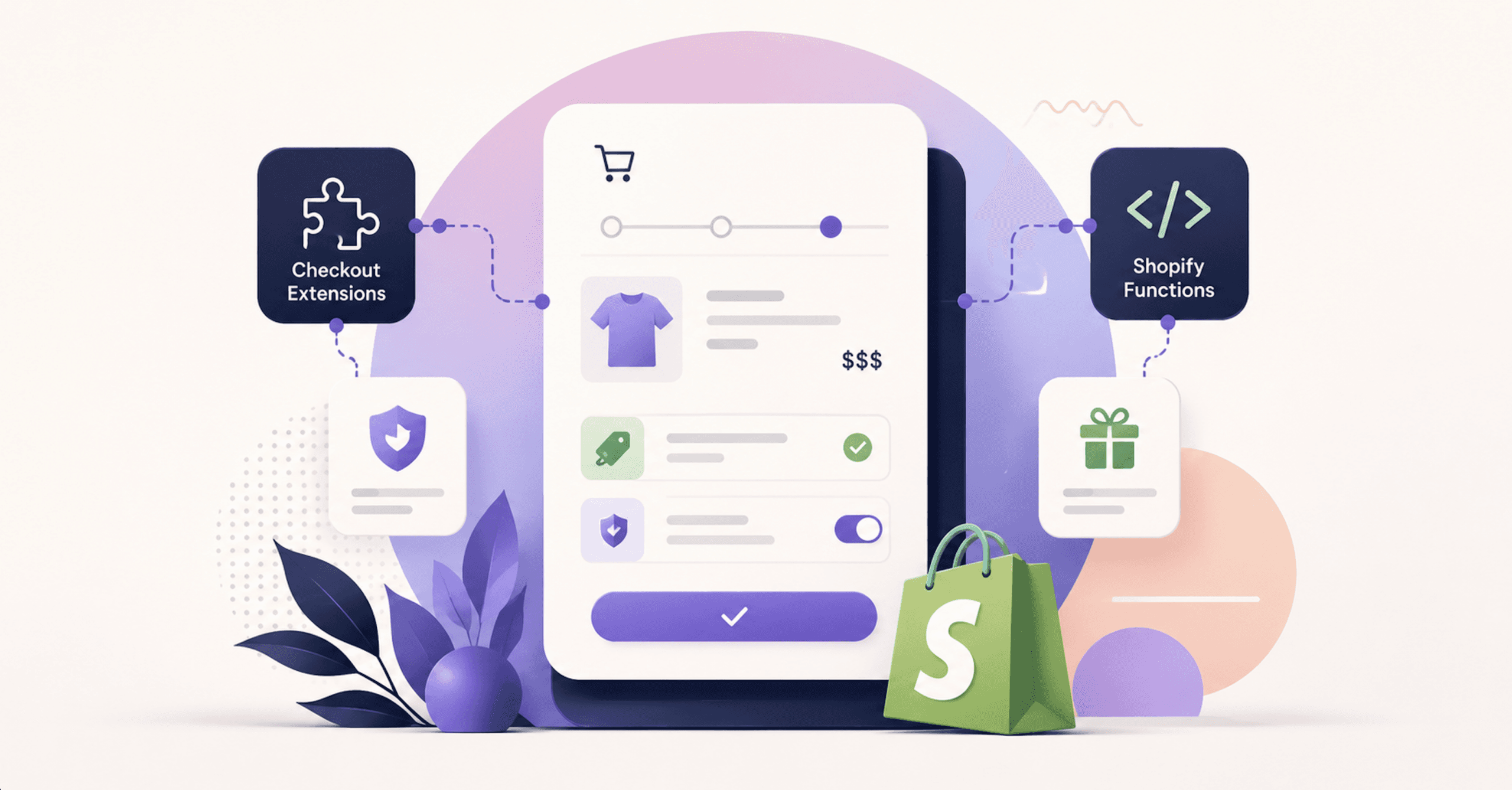
Checkout Extensibility and Shopify Functions: What Replaced Scripts, and What Your Store Already Lost
If your Shopify store runs on any plan below Plus, your Thank you and Order status pages changed on August 26, 2026, and Shopify made the change for you if you hadn’t made it yourself. That was the deadline to upgrade those pages, and stores that weren’t upgraded by that date were upgraded automatically (opens in new tab).
App script tags followed the same split. They were sunset on those pages (opens in new tab) on August 28, 2025 for Plus stores, and on August 26, 2026 for non-Plus stores. Both dates are behind us now.
None of it throws an error. An additional script that stopped firing looks identical to one that’s still firing: the checkout loads, the customer pays, the order lands in your admin. The only place the change surfaces is in numbers reported by systems that live outside Shopify, so a store can lose its Thank you page conversion pixel in August and not find out until somebody questions the ad spend in October.
We build and rebuild these checkout stacks, so this is the analysis we’d hand a client. We wrote up the tracking half of this same cutoff separately, in how Shopify conversion tracking dies silently on August 26th.
What Checkout Extensibility Is, And What It Replaced
What is checkout extensibility? It’s Shopify’s app-based architecture for customizing checkout, and it exists because the previous method was editing a theme file. Under checkout extensibility, customizations arrive as extensions inside apps, and you place and configure them in the checkout and accounts editor (opens in new tab), the tool for customizing and managing the functionality and appearance of your checkout, Thank you and Order status pages, and customer accounts pages. Shopify now calls it the checkout and accounts editor, so a tutorial working from the older “checkout editor” label may not match the admin you’re looking at.
Shopify markets checkout extensibility as “a framework of apps, branding tools, and back-end logic (opens in new tab) that is regularly updated and improved by Shopify.” That’s vendor phrasing, but the description is structurally accurate. Shopify’s stated reasoning for the 2023 deprecation was that the new model is “app-based, upgrade-safe, higher-converting, and integrated with Shop Pay” (opens in new tab). Three of those four are architecture claims, and the fourth is a marketing claim we’ll come back to.
On the developer side, checkout extensibility is four extension types (opens in new tab):
- Checkout UI extensions
- Function extensions
- Post-purchase UI extensions
- Web pixel extensions
Styling sits beside those four, in the checkout branding API. Access is gated: the checkoutBrandingUpsert mutation (opens in new tab) requires access to checkout branding settings, and the shop must be on a Plus plan or a Development store plan. It splits customization into a designSystem layer for colors and typography and a customizations layer for specific components.
That mutation now carries a deprecation notice, and developers are told to use checkoutAndAccountsConfigurationUpdate instead. If your developer is working from a branding tutorial written before that notice went up, the mutation in their code is on the way out.
The plan line inside checkout extensibility runs between the checkout steps themselves and the pages that follow them. Checkout UI extensions (opens in new tab) for the Information, Shipping and Payment steps are available only to stores on a Shopify Plus plan. Basic and above get the checkout and accounts editor plus eligible apps on Thank you and Order status. Shopify’s own Checkout Blocks (opens in new tab) app draws the line in exactly the same place.
The Checkout Extensibility Deadlines That Already Passed
Eight dates matter here, and seven of them have passed. The last row is the only one you can still act on before the fact.
| Date | Status | What happened or happens | Who it hit |
|---|---|---|---|
| August 13, 2024 | Past | checkout.liquid stopped working for the Information, Shipping and Payment steps |
Plus |
| February 1, 2025 | Past | Apps could no longer create script tags scoped to order status or all pages | All plans |
| August 28, 2025 | Past | checkout.liquid and additional scripts sunset on Thank you and Order status, with no plan qualifier; script tags sunset on those pages for Plus |
All plans (checkout.liquid, additional scripts); Plus (script tags) |
| April 15, 2026 | Past | Editing and publishing new Shopify Scripts stopped being possible | Script Editor users |
| June 30, 2026 | Past | All Shopify Scripts ceased to execute; still-published Scripts were deactivated | Script Editor users |
| August 26, 2026 | Past | Script tags sunset on Thank you and Order status, the same cutoff Plus got a year earlier; unupgraded stores upgraded automatically | Non-Plus |
| October 1, 2026 | Past | scriptTagCreate and scriptTagUpdate begin returning errors; existing tags keep running |
All plans |
| March 1, 2027 | Ahead | Shopify stops injecting script tags into storefronts | All plans |
Three Different Shopify Features Share The Word "Script"
Each one has a separate timeline, so a store can be fine on one and dark on another. Additional scripts were the plain JavaScript and Liquid text box under Settings, Checkout, Order processing, used mostly for tracking and small page tweaks. Shopify Scripts, the Ruby ones written in the Script Editor, were Plus-only business logic for discounts, shipping and payments. Script tags were the ScriptTag API that let apps inject JavaScript without touching your theme.
Additional scripts and checkout.liquid share the same fate. They went dead on the in-checkout steps on August 13, 2024 (opens in new tab), the date Shopify set in 2023, and the file is now unsupported for the Information, Shipping, and Payment checkout steps (opens in new tab). Shopify’s instruction for the additional scripts field is that those customizations need to be replaced using pixels (opens in new tab): app pixels first, and if there isn’t an app that meets your needs, you can create a custom pixel.
On Thank you and Order status, Shopify publishes two dates that it never reconciles. checkout.liquid and additional scripts were sunset for the Thank you and Order status pages on August 28, 2025, a date Shopify gives with no plan qualifier. August 26, 2026 was the deadline for non-Plus stores to upgrade and replace their Thank you and Order status pages, after which they were upgraded automatically. Read the first as when Shopify stopped supporting the old surface and the second as when non-Plus stores actually lost it.
Script tags are the one with a future. They stopped running on Order status (opens in new tab) on those same two plan dates, but the online store half of the deprecation only got announced on August 24, 2026, and it runs into 2027.
April 15, 2026: Scripts Were Locked Before They Stopped Running
There were two Scripts dates, not one. On April 15, 2026, editing and publishing new Shopify Scripts stopped being possible (opens in new tab), and on June 30, 2026, all Shopify Scripts ceased to execute entirely. The gap matters because it changed what a fix looked like. From April 15 onward, a store whose tiered discount script had a bug couldn’t patch the bug, and the only remaining move was to rebuild the logic somewhere else.
August 26, 2026: Checkout Extensibility Closed The Last Gap For Non-Plus Stores
For stores on a non-Plus Shopify subscription plan, the checkout upgrade (opens in new tab) has a cost: your existing Thank you and Order status pages and any existing customizations on those pages are replaced with the new versions of those pages. Whatever was on those pages isn’t carried forward by the checkout extensibility upgrade. Stores on the Pause and Build plan are upgraded automatically.
That upgrade is a one-way door. You can only reactivate an additional script (opens in new tab) when your Thank you and Order status pages haven’t completed their upgrade, and if they’re upgraded, you can’t reactivate it. You can’t flip the field back on to read what was in it and you can’t flip it back on to buy time.
Shopify Scripts Stopped Executing On June 30, 2026
Shopify Scripts was deprecated on June 30, 2026, and any Scripts that were still published on your store have been deactivated and no longer work (opens in new tab). A store that ran a volume discount through a Script didn’t fall back to a simpler discount on July 1; it fell back to no discount.
The categories that lived in Script Editor were tiered and volume discounts, shipping rate renaming and hiding, payment method gating, and wholesale or B2B pricing rules. Unlike the tracking failures, these announce themselves. A customer who should have gotten 20% off at six units and got full price will tell you, and the discount that quietly stopped applying shows up in average order value inside Shopify’s own reporting.
Shopify Functions: The Business Logic Half Of Checkout Extensibility
Shopify Functions are the replacement for Scripts and the back-end half of checkout extensibility: they allow developers to customize the backend logic of Shopify (opens in new tab). Where a Script was Ruby running in Shopify’s environment, a Function is a compiled WebAssembly module. Function logic is written in any language that can compile a WebAssembly module which meets function requirements, and templates and client libraries exist for Rust and JavaScript. Shopify strongly recommends Rust as the most performant language choice, to avoid your function failing with large carts.
That Rust recommendation isn’t stylistic. Shopify’s reasoning is that Rust’s memory safety and zero-cost abstractions (opens in new tab) help ensure your function runs efficiently and stays within resource limits, which means a JavaScript function can be correct and still fail on a large cart by running out of budget. Functions are built and shipped with the Shopify CLI: shopify app function build compiles to Wasm, shopify app dev rebuilds the extension draft as files change, and shopify app deploy builds the app, then deploys your app configuration and extensions (opens in new tab), creating an app version.
Shopify lists nine Function APIs:
- Cart Transform, for cart line pricing and presentation, including bundles and merges
- Discount, for cart line, order and delivery discounts
- Fulfillment Constraints, for fulfillment grouping
- Order Routing location rule, for location-based fulfillment
- Pickup Point Delivery Option Generator, on the unstable API version
- Local Pickup Delivery Option Generator, also on the unstable version
- Delivery Customization, to rename, sort and hide delivery options in checkout
- Payment Customization, to adjust available payment methods
- Cart and Checkout Validation, to verify cart contents or block checkout
Shopify caps delivery customizations: you can activate a maximum of 25 delivery customization functions (opens in new tab) on each store. And network access is restricted in a way that kills a whole class of Script-era pattern: the fetch target (opens in new tab) is limited to custom apps installed on Shopify Plus and Enterprise stores, you have to request network access for Shopify Functions, and it isn’t available on development stores. If your old logic called an external pricing service mid-checkout, that architecture doesn’t port straight across.
The Discount API also consolidated in version 2026-07. Under the unified schema, a single function processes one discount (either code-based or automatic), but can apply savings across three discount classes: product, order, and shipping. That’s one function where a Scripts-era setup often used separate logic per discount type, and it’s the change most likely to make an old migration plan out of date.
Spring ’26 (opens in new tab), the Shopify Edition released June 17, 2026 under the name “Everywhere,” added several checkout extensibility capabilities on the Functions side. You can now query billing address and PO number inside cart and checkout validation functions, use metaobject entries in checkout functions for custom discounts and personalized logic, and use a new prerequisites field in product discount functions for buy X get Y offers. The same release added discount stacking on the same product, discounts by market, and a redesigned checkout that Shopify says makes “delivery options easier to scan, elevates the pay button, and reduces scrolling on mobile.”
The Plan Gate Is On App Type, Not On Functions
Getting this one wrong sends non-Plus merchants looking for workarounds they don’t need. The gate is on how a Function reaches your store, not on Functions themselves. Shopify’s plan rule for Function APIs (opens in new tab) is two lines, one for public apps and one for custom apps (opens in new tab):
All plans: Except as noted in individual API pages, stores on any plan can use public apps that are distributed through the Shopify App Store and contain functions. Shopify Plus: Only stores on a Shopify Plus plan can use custom apps that contain Shopify Function APIs.
Any plan can install an App Store app that contains a function, and only Plus can install a bespoke custom app that contains one. A non-Plus merchant isn’t locked out of Shopify Functions, only out of their own private Function. One qualifier applies: some Shopify Functions capabilities are available only to stores on a Shopify Plus plan, so each API’s own plan requirements still govern.
The practical consequence for a non-Plus store is a sourcing problem rather than a technical one. If an App Store app already does what your old Script did, you’re covered on any plan. If nothing in the App Store matches your rule, the custom app route requires Plus. Functions ship as extensions inside apps.
Shopify Checkout UI Extensions And Checkout Blocks
Shopify checkout UI extensions (opens in new tab) are the visible half of the framework: they add custom UI and logic into any step of the Shopify checkout experience. They come in three target types. Block targets are flexible placement targets that merchants can position using the checkout and accounts editor. Runnable targets provide data or functionality without rendering UI components, and static targets appear at fixed locations in checkout, such as before actions, after contact fields, or after cart line items.
Placement has a hard ceiling: there’s a maximum limit of 3 apps per highlighted area (opens in new tab). If your plan is a trust badge, a delivery date picker, a gift message field and an upsell in the same region, one of them is getting cut.
Checkout Blocks (opens in new tab) is Shopify’s own no-code entry point into checkout extensibility, and on a non-Plus plan it’s the route that doesn’t require a developer. It lets you customize your checkout without using code, including adding custom fields, reordering payment and delivery methods, creating and enforcing order value limits, and setting up custom discounts with advanced rules. The plan gate is precise: merchants on the Basic plan or higher can use the dynamic content and static content blocks, and can place them only on their Thank you and Order status pages. All other features of Checkout Blocks are available only to Shopify Plus.
- Address blocker, to block checkout based on address format rules
- Custom field, for things like an agree-to-terms checkbox or a gift messaging field
- Dynamic content and Static content, Basic-plan-and-up on Thank you and Order status, Plus for placement inside checkout
- Line item edit, for a variant or quantity selector in the order summary
- Line item content, for line-item messaging such as "Final sale"
- Shipping and Payment icons, for supported methods
Two of the Spring ’26 items route through this app specifically: address format validation is enforced using Checkout Blocks, and so are minimum and maximum order value limits. If you’re on Basic and you had an order minimum enforced by an additional script, Checkout Blocks is where that rule goes now, subject to the Plus gate on in-checkout placement.
How To Find Out What Your Checkout Extensibility Upgrade Erased
Start with Scripts, because Shopify built a report for exactly this. Shopify’s instructions are to go to Apps, then Script Editor, then “Replace Shopify Scripts” in the banner, which generates a customizations report (opens in new tab) showing the name, description and source file of each Script, grouped into Payment gateways, Shipping and Product discounts, with recommended replacement apps and links to the relevant Functions guides. Some customizations can be recreated by installing an existing app, and some might require you to manually recreate them using an included Shopify Functions API guide.
For additional scripts, the Upgrade guide page in your admin has an Additional scripts section showing what was in the field. Read it before you assume it’s empty, and read it knowing you can’t turn the field back on once the Thank you and Order status upgrade has completed.
Then go outside Shopify, because that’s where the silent failures are visible. Pull conversion counts by day from every ad platform, affiliate network, analytics tool and email platform that was ever fed by a Thank you page tag, and look at the shape of the curve across the relevant cutoff date. Shopify’s order data won’t move. The receiving system’s will, and the gap between the two is your inventory of what broke.
Shopify’s replacement path for tracking is pixels (opens in new tab), which split into app pixels, which are installed through marketing and data collection apps, and custom pixels, which can be manually added by a developer. Pixels automatically load on the Storefront, Checkout, Thank you page, and Order status page, while customer account pages require a connected custom subdomain and fire only page_viewed. App pixels run in a strict sandbox and custom pixels in a lax one (opens in new tab).
The sandbox is where checkout extensibility takes something away that no rebuild gets back. Custom pixels can’t render UI elements like buttons, forms, banners or modals; automatically detect DOM-scraped events, metadata or user information such as email or phone; detect outbound link clicks by DOM scraping; track page scrolling; or capture clicks and mouse movement for heatmaps. Sandbox URLs “include a sandbox version and not exactly reflect the main window’s URL,” with the real URL available from the page_viewed event. If your old additional script scraped the DOM for anything, plan on that data ending rather than moving.
Google Tag Manager runs as a custom pixel (opens in new tab), with the same ceiling: for security, tag managers loaded in Shopify’s sandbox have the same restrictions as any other pixels. Your dataLayer.push calls become Shopify.analytics.publish(), and pushing data from checkout requires a UI extension. Shopify’s pixel migration (opens in new tab) advice is to hunt down old pixel code in theme.liquid, checkout.liquid and Additional scripts, and to remove the old pixel before connecting the new one if you care more about avoiding double counting than about missing a few events.
The Checkout Extensibility Deadline Still Ahead: Script Tags
On August 24, 2026, Shopify published the deprecation that isn’t behind you yet. Online store script tags are ending in two stages (opens in new tab). From October 1, 2026, scriptTagCreate and scriptTagUpdate mutations begin returning errors across every API version, while existing script tags keep running. From March 1, 2027, Shopify stops injecting script tags into storefronts.
Read the October date as a freeze, not a shutdown. What’s already installed keeps working, but an app can no longer create or update a script tag, so any app you install after October 1 can’t reach your storefront through that method, and any app that needs to update an existing tag can’t. For anything you install, replace or reconfigure, that moves the deadline from March 2027 to October 2026.
Shopify’s replacement guidance is specific by surface. For the online store, it’s to replace each script tag with an app embed block, which ships in a theme app extension, and for analytics or conversion tracking it’s to use a web pixel instead, which needs no action from the app user. For Order status, it points to customer account UI extensions for interface work and web pixels for analytics (opens in new tab), with one caveat attached: web pixels work on any store, but can’t render UI, and customer account UI extensions can, but only on upgraded stores.
The work between now and March 1 is an inventory, and it isn’t a developer task. List every app installed on your store, and for each one ask the vendor a single question: does your app inject anything into my storefront using the ScriptTag API, and if so, what’s your timeline for moving to a theme app extension or a web pixel. Vendors that have already moved will answer immediately. The ones that take a week to answer are the ones to watch through March.
What To Rebuild First After A Checkout Extensibility Upgrade
Order the work by how quietly each failure happens, not by how severe it looks on paper. A discount that stopped applying generates customer emails within a day and gets fixed by whoever’s on call. A conversion pixel that stopped firing generates nothing, and it keeps generating nothing while your ad platforms optimize toward a signal that no longer arrives. Rank the queue by silence:
- Anything that reported a number to a system outside Shopify: Thank you page conversion pixels, server-side tags, affiliate postbacks, subscription and loyalty confirmations
- Pricing, shipping and payment logic that ran as a Shopify Script and still has no live Functions or App Store replacement
- Apps that reach your storefront through a script tag, because the October 1 freeze date has passed and March 1 is ahead of you
- Content and UI customizations that lived on Thank you and Order status pages
- Branding and styling polish inside checkout itself
Two things on that list get easier if you take them in the right order. Check the App Store before you commission a custom Function, because a public app clears the plan gate on any plan and a custom app doesn’t. And check the three-apps-per-highlighted-area limit before you design a checkout layout, because discovering it after two builds are done means throwing one away.
Branding lands last for a reason that has nothing to do with taste. Spring ’26 added a customized branding capability (opens in new tab) that lets you set your logo, colors, and typography once, and it gets applied consistently across checkout, customer account, and sign-in pages. Doing branding first means doing it against a surface whose functional blocks aren’t placed yet, and then doing it again.
What Shopify Claims Checkout Extensibility Does For Conversion
You’ll see two numbers used to justify this migration, and both belong to Shopify. On November 17, 2024, Shopify said the extensible checkout delivers “two times faster checkout interactions and page transitions that increase conversion by over 1% on average (opens in new tab).” That’s Shopify’s own marketing claim about Shopify’s own product, and Shopify doesn’t frame it as a controlled head-to-head against checkout.liquid. It’s the closest thing to a checkout-extensibility-specific conversion figure Shopify publishes.
The bigger number is platform-level and older. Shopify claims “Shopify’s overall conversion rate outpaces the competition by up to 36% and by an average of 15% (opens in new tab), based on a study completed in April 2023 in partnership with a Big Three global management consulting company.” Again, Shopify’s own claim, the consultancy is unnamed, and the study is from April 2023, which makes it more than three years old. It also measures Shopify against other platforms rather than measuring checkout extensibility against the thing it replaced.
The performance claim is narrower and easier to accept on its face. Shopify says “the WebAssembly platform that runs Shopify Functions offers better performance than Shopify Scripts, executing code in under 5 milliseconds (opens in new tab).” That’s a vendor benchmark of a vendor runtime, and it’s also consistent with the architecture, since compiled Wasm should beat interpreted Ruby.
Don’t build the business case for checkout extensibility on Shopify’s conversion numbers, because they won’t survive a finance director who reads footnotes. Build it on the dated, documented fact that the old surfaces stopped executing. The conversion upside, if it shows up, shows up in your own data after you’ve rebuilt tracking well enough to see it.
Checkout Extensibility On Headless And Agentic Storefronts
The script tag deprecation is scoped to the online store, and Shopify’s own replacement guidance is an app embed block shipped in a theme app extension. That’s a theme construct. If you’re running a custom storefront rather than a Shopify theme, the theme app extension route isn’t the one available to you, and the web pixel route is, which is the more portable of the two options Shopify names. We’ve written separately on what running Hydrogen looks like in 2026 if that’s the architecture you’re on.
The other reason to finish this work has nothing to do with deadlines. Checkout extensibility moves your checkout logic out of theme markup and into apps, functions and pixels, which is the same direction of travel as a checkout that something other than a human has to be able to complete. We covered that shift in our piece on agentic commerce on Shopify. A checkout whose rules live in markup is a checkout only a browser can read.
Your Checkout Extensibility Gaps, Found Before They Cost You
Most of these deadlines already ran. What’s left is finding out what they took, and you usually can’t answer that from the admin alone, because the evidence lives in the platforms that stopped receiving data.
We do this work: mapping what your store lost across each cutoff, rebuilding tracking as app pixels or custom pixels, moving Script-era logic into Shopify Functions, and clearing script tag dependencies before March 1, 2027, the date Shopify set to stop injecting script tags into storefronts. Start with our ecommerce checkout optimization services, or talk to us directly about what your checkout is doing right now.
Or take the free Growth Audit. A clear, no-obligation look at why your store isn’t getting seen or converting, with a roadmap for fixing it. You built something worth finding. Your checkout shouldn’t be the reason it doesn’t get found.

Shopify B2B and Wholesale: Building the Buyer Experience Now That Native B2B Runs on Every Plan
On April 2, 2026, Shopify B2B came to Basic, Grow and Advanced at no extra cost. Here’s the current plan matrix, the two Shopify pages that will send you to the wrong tier, and how to build a wholesale channel buyers will actually use.

Generative Engine Optimization for Shopify: Getting Your Store Cited in AI Search
Google published its own guidance on GEO and AEO in July 2026, and it says the work is still SEO. That’s true about the content and false about the controls. Here are the four controls that decide whether your Shopify store can be cited at all.

How to Increase Average Order Value on Shopify Without Wrecking Your Margin
Bundles, upsells and free-shipping thresholds all raise average order value. For thresholds and bundles the arithmetic shows the number rising while cash per order falls. Here’s how to tell which one you have.
Not sure where the gap is? That's exactly what the Digital Marketing Growth Audit is for.
A free, no-obligation look at where your site can win more traffic and conversions, with a clear digital marketing roadmap to get there. Just a straight read on where your digital presence stands and where it's headed.