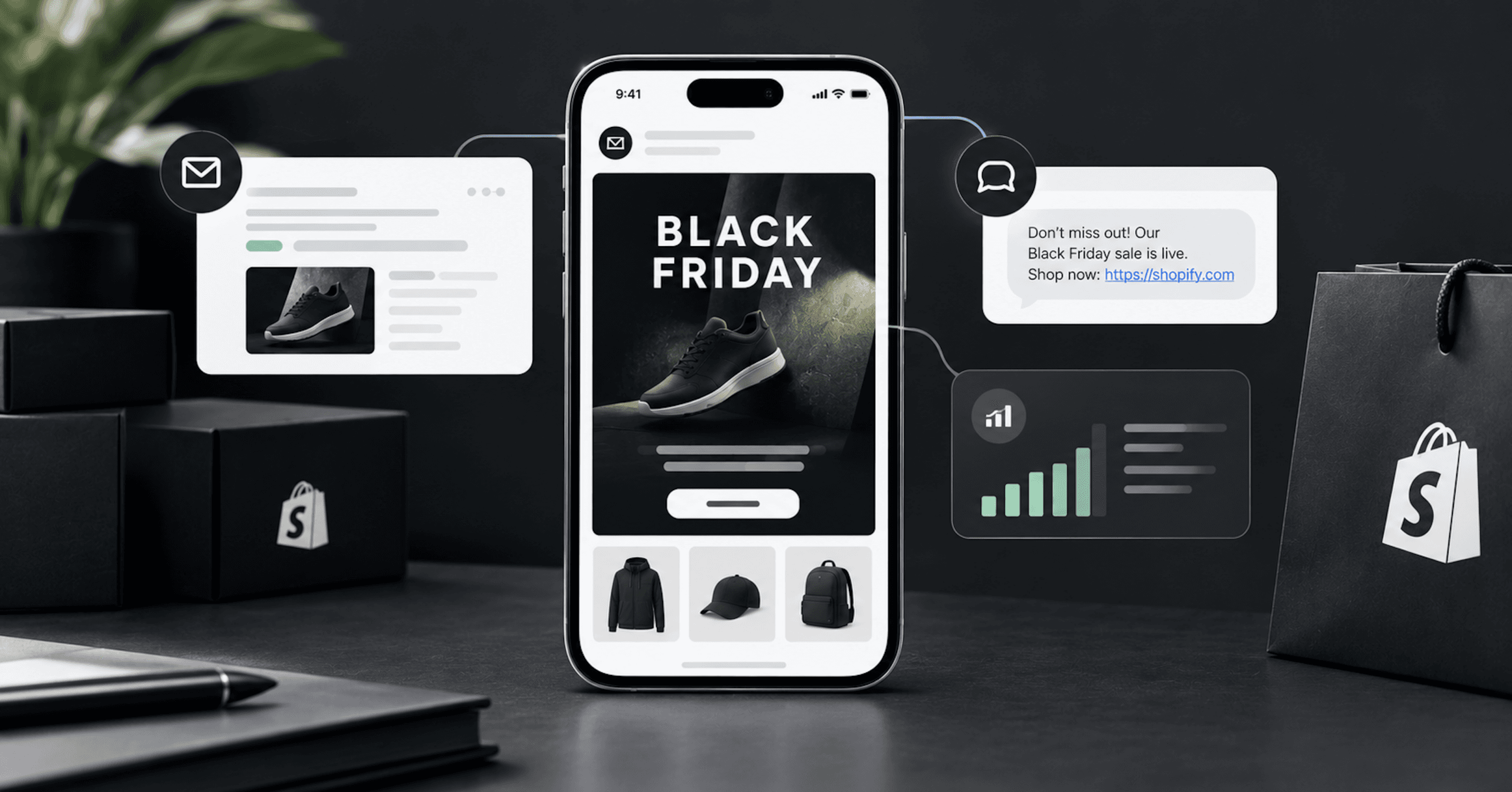
Black Friday 2026 is Friday, November 27. The full BFCM calendar, its derivation, and the store side of the work all sit in the store-side Black Friday checklist: tracking, discount limits, code freezes, throttled checkouts. The other half is what your email and SMS platform does when the volume actually arrives.
The failures below are platform mechanics, not creative ones. They behave one way on a normal Tuesday and a different way at peak, and almost all of them resolve as a skip rather than an error, so the send reaches fewer people than the report implies.
Is any of this legal advice? No. BLKDG is a marketing agency and not your counsel. Compliance decisions belong with a lawyer who has seen your consent flows.
Black Friday Email Marketing Breaks Quietly, Not Loudly
A Klaviyo flow message can skip a profile for reasons (opens in new tab) that include Smart Sending, “Fails Flow Filters,” “Catalog Item Unavailable,” “Over Email Limit,” “Not Enough Sends Available,” “Unable to Create Coupon,” “No More Uploaded Coupons Remain,” “Error Retrieving External Data,” and “Missing SMS Consent.”
A profile skipped for any of those reasons doesn’t get the message, and the skip doesn’t generate a bounce, a hard error, or an alert. It lowers the delivered count, which on Black Friday looks like normal variance in a number that’s moving anyway.
Start Your Black Friday Email And SMS Plan By Finding Out Which Number Sends
Do you need to register for A2P 10DLC to send Black Friday texts? Probably not, if you’re a US Shopify merchant on Klaviyo. Toll-free numbers are the default sending numbers (opens in new tab) in Klaviyo for the US and Canada, and they’re automatically created as soon as you set up SMS.
Toll-free sits outside 10DLC’s throughput tiers (opens in new tab) and its campaign registration requirement. On Twilio, a US toll-free number has a total of 3 MPS toward all US and Canada carriers by default.
We’ve argued before that you don’t have an email problem you can fix with SMS, and the same discipline applies here: know what the channel is before you buy more of it. So the October task is opening your platform’s SMS settings, reading which number type is actually sending, and confirming it’s verified. In Klaviyo, toll-free numbers must be verified, although not all industries are eligible, and verification typically takes 2 to 5 business days. Klaviyo doesn’t recommend sending from unverified toll-free numbers.
In Klaviyo, short codes take the longest of any number type to provision, and except for short codes, verifying or registering typically takes no more than 7 to 10 business days. Short codes and vanity short codes are the only Klaviyo sending numbers that carry an additional monthly cost. If a short code is in your plan for this season, that decision needed to be made before now.
Klaviyo gives a suitability threshold for toll-free, fewer than 300,000 messages at a time, but that’s guidance on picking a number type rather than a carrier cap. Ask your account team in October whether your default US toll-free traffic is subject to a daily carrier segment cap, and what Klaviyo’s own aggregate throughput ceiling is, rather than discovering the answer on the day.
The T-Mobile Daily Cap That Ends Black Friday At Midday
If you or your platform did put you on 10DLC, a second limit governs your day, and it’s a daily one rather than a per-second one. You receive a T-Mobile daily message cap (opens in new tab) based on your Trust Score (secondary vetting score). The limit is applied at an EIN level and shared among all A2P Brands and Campaign use cases registered under that EIN, and the limits are shared if you’re registered on multiple different messaging platforms or services.
Read the sharing clause against your actual stack. Transactional shipping notifications from one vendor, a support texting tool, and your marketing platform can all be spending the same EIN-level allowance. Twilio lists the caps by Trust Score band.
| Trust Score | T-Mobile daily limit (SMS segments + MMS, outbound) |
|---|---|
| 75-100 | 200,000 per day |
| 50-74 | 40,000 per day |
| 25-49 | 10,000 per day |
| 1-24 | 2,000 per day |
Two special cases sit outside that table. Sole Proprietor brands have a limit of 1,000 message segments per day. Businesses in the Russell 3000 Index receive 200,000 segments and MMS per day by default, and T-Mobile only removes the cap of 200,000 SMS segments + MMS per day if a business completes a process called Special Business Review.
The score behind your band isn’t something you can improve in November. A Trust Score is assigned during Standard Brand registration with The Campaign Registry, and secondary vetting assigns a score from 0 to 100. Twilio says Trust Scores are static and don’t automatically change over time, and that in general, smaller organizations and those with less business presence will receive lower scores.
A segment is up to 160 GSM-7 characters, and more characters or a different character encoding can make one message into several segments. A merchant in the 25-49 band has 10,000 segments a day toward T-Mobile. Two one-segment sends on Black Friday to 5,000 T-Mobile subscribers consume the entire day’s allowance.
We don’t know your T-Mobile share, and you shouldn’t assume one. Pull the actual count and multiply it by your planned sends per day, then add whatever your encoding and MMS use do to the segment count, and remember every other brand under the same EIN is drawing on the same allowance. When it’s gone, messages come back undelivered with Twilio error 30023, and the daily limit resets every day at midnight, Pacific US Time.
Buying more numbers doesn’t buy your way out. On Twilio, a campaign’s throughput is shared across all US/Canada long code numbers allocated to your campaign, and all wireless carriers, and splitting messages across a collection of local numbers gets you the same limit. The industry rulebook the carriers enforce has a name for the attempt: CTIA’s Messaging Principles and Best Practices, dated May 2023, tell senders they “should not engage in Snowshoe Messaging.” (opens in new tab)
Registration Lead Time: Twilio's Own Two Answers
If registration is in front of you, plan against a range rather than a number. Twilio has put campaign reviews at 5 to 10 days in one place and 10 to 15 in another.
Twilio describes review times as elevated in both, and a merchant who starts registration in November is betting on the shorter one.
The Cadence That Collides With Itself
How many emails should you send on Black Friday? Klaviyo publishes a day-by-day answer (opens in new tab), and it’s a vendor recommendation from a company that prices on volume. Its cadence table is in the store-side checklist.
Klaviyo says that “With the right segmentation strategy, you could send 4 separate email campaigns that reach 4 distinct customer segments in 1 day without damaging your sender reputation.” The cadence depends on those four segments being distinct, which makes it a segmentation condition as much as a volume recommendation.
Klaviyo’s Smart Sending has an email default window of 16 hours (opens in new tab) and an SMS default window of 24 hours. Three emails in one day against a 16-hour window, or two texts in one day against a 24-hour window, only work if the audiences don’t overlap. Copy the cadence table without building the segments underneath it and the platform skips the overlapping profiles.
Klaviyo doesn’t reschedule those skips automatically. Currently, it’s not possible to resend a text message or push notification to someone who was skipped due to Smart Sending except by doing so manually.
Turning Smart Sending off is the other resolution, and it removes your only automatic guardrail against over-messaging during BFCM. Changing the window on the morning of the sale doesn’t help either. Updating the window doesn’t retroactively affect recipients. The amount of time is the same as the Smart Sending window at the time you send, so the profiles already sitting under a longer timer stay there.
Most black friday marketing ideas resolve into three configuration items: a segment, a send window, and a coupon count. Klaviyo gives you a starting point on the first one, recommending that you exclude people who purchased within the last day from Black Friday sale campaigns and within the last 4 days from Cyber Monday campaigns.
Smart Sending only applies to marketing messages. Transactional messages are never skipped.
Quiet Hours Delay Or Skip Black Friday SMS Campaigns
Klaviyo’s quiet hours cover SMS flow messages and text message campaigns. In your quiet hours settings (opens in new tab), campaigns can use the profile’s location.
Can you schedule a midnight Cyber Monday blast? You can schedule it, but it won’t send to a recipient who is inside their quiet hours at that moment. At the scheduling step you choose whether a text that would land inside a recipient’s quiet hours is delayed until they end or skipped, and delay is the default. A delayed doorbuster text goes out when that recipient’s quiet hours end, or is skipped if that falls past a maximum delay you’ve set.
For the clock itself, go to the regulation rather than to a vendor. The FCC rules implementing the TCPA, at 47 CFR 64.1200 (opens in new tab), state that no person or entity shall initiate any telephone solicitation to “Any residential telephone subscriber before the hour of 8 a.m. or after 9 p.m. (local time at the called party’s location).”
Klaviyo has published two different quiet-hours windows at once, so take your clock from the primary text and treat your platform’s default as a configuration setting rather than as a statement of law.
The federal rule attaches that window to a defined term, and the definition has carve-outs. Section 64.1200(f)(15) defines “telephone solicitation” as a call or message encouraging a purchase, but says the term “does not include a call or message: To any person with that person’s prior express invitation or permission; To any person with whom the caller has an established business relationship; or By or on behalf of a tax-exempt nonprofit organization.”
Whether those carve-outs reliably place marketing texts to opted-in subscribers outside the window in current practice is contested litigation, not settled documentation. State mini-TCPAs are separate statutes and several are stricter; Klaviyo names specific states with tighter windows, but don’t take a state’s hours from a help article. The operational answer is to configure quiet hours in October and not reason your way out of them at 11pm on Black Friday.
In Klaviyo, both quiet hours and Smart Sending are checked at send time (opens in new tab), not the time you scheduled the message, and quiet hours are checked before Smart Sending. By default, messages marked as transactional don’t have quiet hours enabled, which matters for the post-purchase flows below.
The Consent And Opt-Out Text To Check Yourself Against
Two BFCM mechanics touch the regulation’s text directly, and both are configuration you can check this month.
The first is gating. Section 64.1200(f)(9) requires that prior express written consent include a clear and conspicuous disclosure that “The person is not required to sign the agreement (directly or indirectly), or agree to enter into such an agreement as a condition of purchasing any property, goods, or services.” A Black Friday mechanic that hands over the discount only after the shopper opts in, or a checkout that makes the SMS box feel mandatory, is what that disclosure requirement is aimed at.
The second is your opt-out confirmation. Section 64.1200(a)(12) exempts a one-time confirmation text “as long as the confirmation text merely confirms the text recipient’s revocation request and does not include any marketing or promotional information.” A save-the-subscriber message offering one last code, sent after someone texts STOP, is not that message. Open your platform’s opt-out reply and read it against that clause before the weekend.
The revocation rules go well beyond the keyword STOP. The regulation says a called party may revoke “by using any reasonable method,” lists “stop,” “quit,” “end,” “revoke,” “opt out,” “cancel,” and “unsubscribe” as per se reasonable, and then requires that a reply using other words be treated as valid “if a reasonable person would understand those words to have conveyed a request to revoke consent.” It also states that senders “may not designate an exclusive means to request revocation of consent,” and that requests must be honored “within a reasonable time not to exceed ten business days.”
Above the law sits the carriers’ own rulebook, which they enforce by filtering. CTIA’s May 2023 Messaging Principles tell senders to document opt-in consent by retaining the timestamp of consent acquisition, the acquisition medium, a capture of the experience used to secure consent, the specific campaign the opt-in was provided for, and the IP address used to grant it. That’s an audit trail you assemble before a complaint, and CTIA also states that “A Consumer opt-in to receive messages should not be transferable or assignable,” so don’t text a list someone offers you for the season.
CTIA's Principles and Best Practices do not constitute or convey legal advice and should not be used as a substitute for obtaining legal advice from qualified counsel.
Which Flows To Freeze Before Your Black Friday Email Campaigns Send
Should you pause your flows during the sale? Mostly no. If you change a message in a live Klaviyo flow to draft, it’s skipped in the sequence (opens in new tab), so the people who reach that step while it’s in draft never get the message.
Your flows are the part of the program that pays rent the other eleven months of the year, which we’ve written about in the lifecycle that pays rent.
The instrument you want is a profile filter. Before each component (email, SMS, split, etc.), profile filters are re-checked to ensure that recipients still meet the criteria of the flow, and trigger filters aren’t checked again at send time. A trigger filter added on Black Friday morning does nothing for anyone already moving through the flow. A profile filter added in the week of November 9 gates every message that hasn’t sent yet.
Time delays behave the same way. Updating a delay won’t impact any already scheduled messages, and only affects messages scheduled after the change. Every flow decision below is a week-of-November-9 decision, not a Friday-morning one.
| Flow | Our call | The mechanism behind it |
|---|---|---|
| Abandoned cart / checkout | Keep it running, strip or gate the discount | Profile filters re-check at send time; rendered sold-out products cause a skip |
| Price drop | Freeze it | A catalog markdown is a price-drop event on every product at once |
| Back in stock | Cut to one message, or freeze | Inventory cannot be re-checked after the first message |
| Winback | Keep it, remove the incentive | Its mechanic is a discount with an expiration date, stacking on the sale |
| Post-purchase / upsell | Review the content, decide deliberately | Transactional messages bypass Smart Sending, and quiet hours are off for them by default |
Price Drop: The Flow Competing With Your Own Black Friday Email
Klaviyo’s price drop flow (opens in new tab) lets you choose when it triggers, meaning at what amount or percentage a product’s price needs to drop. On a normal Tuesday that fires for a handful of products and a handful of people.
A sitewide markdown is that same event, on every product, for every subscriber who browsed any of them, at the hour your planned campaign is going out. Two sends now compete for the same inbox and the same Smart Sending window.
Raising the threshold on the day doesn’t undo it. You can adjust the trigger at any point, but the change only applies to events triggered after you make it.
The trigger watches a product’s price, and Klaviyo doesn’t specify whether that value is the catalog price or a price after discounts. That leaves open whether a Shopify automatic discount, which leaves catalog prices untouched, fires this flow.
If your sale changes catalog or compare-at prices, assume it fires and freeze the flow. If your sale runs entirely on automatic discounts, test it in the week of October 26 rather than assuming either way.
Two of the flow’s conditions cut in your favor during a sale. Price drop flows only trigger for items that are listed as in stock, and they won’t send to anyone who has already purchased the item. These conditions are checked both at the trigger and before any messages send out.
Back In Stock Can't Re-Check Inventory Mid-Sale
In Klaviyo’s back in stock flow (opens in new tab), it’s not possible to check if the item is still in stock before sending a second message. After the initial message is sent, Klaviyo can’t check the inventory for the item to see if the item has gone out of stock again.
On a normal restock that’s fine, because the restock lasts days. On Black Friday a restock can last minutes. Message one goes out, the item sells out, and message two sends to everyone who didn’t act on message one, pointing at a product they can’t buy.
That’s a platform limitation rather than a misconfiguration, so the fix is structural. Cut the sequence to a single message for the sale weekend, or freeze it and reach that audience with a campaign instead, which is what Klaviyo recommends for anyone in a back in stock report.
Abandoned Cart, Winback, And The Flows That Ignore Your Black Friday Email Guardrails
The abandoned cart flow (opens in new tab) carries the highest purchase intent in the building during a sale, and pausing it to avoid discount stacking trades a lot of revenue for a problem you can solve with a filter. Strip or gate the incentive, add the profile filter, and leave it running.
Winback is the opposite call. The mechanic of Klaviyo’s winback flow (opens in new tab) is an incentive plus urgency, with a second email that reinforces the incentive from the first email as well as a sense of urgency (e.g., by setting an expiration date on the discount). During a sitewide sale that incentive is either worse than the public offer or stacks on top of it, and the stacking math is in the store-side checklist rather than here. Remove the discount and keep the message.
Post-purchase messages marked transactional bypass the guardrails you set for the weekend, because of one rule and one default, not a bug. Smart Sending never skips transactional messages, and quiet hours are off by default for messages marked transactional. So a post-purchase sequence marked transactional sends on top of every campaign, at any hour, to people who just bought.
What follows is our operating advice rather than platform behavior: open every post-purchase message, look for a price, an offer, or a “come back soon” incentive that the sale has already beaten, and rewrite or gate it before November 9.
What Black Friday Email Templates Can't Protect You From
Your black friday email templates can be pixel-perfect and still not send. Klaviyo’s “Catalog Item Unavailable” skip fires when a product in the rendered email content is currently out of stock or not available. Any template with a dynamic product block is exposed to that, and doorbusters are the products most likely to sell out.
On Friday afternoon the same skip hits abandoned-cart email. The cart contains the item that just sold out, so the rendered content contains an unavailable product, and the message to one of your highest-intent shoppers is skipped.
The flow’s total skip count won’t look unusual. Abandoned cart flows should always have a lot of skips, as everyone who begins to check out enters the flow, but those who then place an order are skipped. Klaviyo’s skip report can be filtered by reason, so check “Catalog Item Unavailable” there during the sale.
Two more skip reasons come from your plan rather than your catalog: “Over Email Limit,” which fires when you exceed your account’s email sending limit, and “Not Enough Sends Available,” which is the same failure on the SMS side. Campaigns consume that allowance first because you scheduled them first, and flows are what run out of room. Check your plan allowance against your planned November volume in the week of November 2, while there’s still time to change it.
Klaviyo’s skip reasons also include “Error Retrieving External Data,” with Shopify as an example of the external source, and “Missing SMS Consent,” which skips anyone without a consent timestamp. Audit consent timestamps in October, not just phone-number counts.
Coupon Codes Drop Black Friday Email Recipients Without Telling You
With Klaviyo’s unique coupon codes for Shopify (opens in new tab), if your scheduled campaign is set to “Determine recipients at send time,” and the actual number of recipients is greater than the number of codes you generate at send time, the extra recipients are skipped and don’t receive the email.
Your list grows through November. If you generated codes against the count you had when you built the campaign, every recipient past that count is skipped. Klaviyo’s fix is to create a separate coupon for each campaign, which makes the required count explicit per send, and that’s an October task rather than a Black Friday one.
Codes for live flow emails automatically replenish daily. If you use all codes before the replenishment, though, the next attempt to assign a coupon is skipped due to insufficient codes available. A flow that burns its daily pool by noon spends the rest of the day skipping.
The skip reason “Unable to Create Coupon” covers the peak-load case of sending too many coupons out in a short amount of time, and Klaviyo recommends adding coupon codes in advance to a campaign. The initial coupon can take about 3 minutes to generate, and Shopify enforces a limit of 20 million unique discount codes per store, at which point you have to delete codes in the Shopify admin before generation resumes.
If you change the coupon definition in Shopify, coupon codes that have already been sent are affected. Send a code with a $20 minimum purchase, raise the minimum to $40 in Shopify later, and the previously sent coupon codes are updated to the new definition ($40 minimum purchase).
Raise a minimum spend on Saturday afternoon to protect margin, and the codes sitting in Friday’s inboxes now carry Saturday’s rule. The customer holding an email that promised one thing hits a checkout that enforces another, and nothing in your ESP reflects the change. Freeze the Shopify price rules behind every emailed code when you freeze the flows.
Codes Or Automatic Discounts Is A Black Friday Email Decision
Shopify has two discount methods (opens in new tab), with a trade-off that lands squarely on email.
Discount codes are codes a customer enters at checkout, commonly used for marketing strategies like email campaigns. Shopify notes they can create engagement and urgency, and can also be forgotten at checkout. Automatic discounts are applied in the cart and at checkout when conditions are met, and are commonly used for sitewide sales and collection promotions. Customers might not realize they’re getting one.
Our read of what that means for email: a code is attributable to the send that carried it, and it’s also the thing that gets forgotten at checkout, consumes one of Shopify’s per-order code slots, has to be generated per recipient, and freezes your Shopify price rule for the duration. An automatic discount can’t be forgotten and can’t be attributed to the email that drove the visit.
Our read: run the sitewide sale as an automatic discount and reserve codes for segment-specific offers where attribution actually changes a decision. Running a sitewide sale as an emailed unique code is how merchants arrive at the coupon-exhaustion failure above, with the extra recipients silently skipped.
Klaviyo has every incentive to say otherwise, and Klaviyo itself says that not every brand needs to offer massive discounts and that higher discounts don’t necessarily equate to higher conversions.
The October Ramp Behind Black Friday Email Marketing
Google tells senders to “Send email at a consistent rate. Avoid sending email in bursts,” (opens in new tab) to “Start with a low sending volume to engaged users, and slowly increase the volume over time,” and to “Avoid introducing sudden volume spikes if you do not have a history of sending large volumes.” Google adds that “immediately doubling previously sent volumes suddenly could result in rate limiting or reputation drops.”
Google says could, not will. A Black Friday campaign is still a sudden volume spike into a list that includes people who haven’t opened anything since last November, and the only place to build sending history is the eight weeks before it.
While you ramp, Google tells senders to “regularly monitor server responses, spam rate, and the sending domain’s reputation,” and to reduce volume if “messages start bouncing or start being deferred,” then increase slowly again.
When you exceed quota, Gmail typically rejects messages with SMTP error code 4.7.28. Google’s instruction is “Do not send email for at least 10 minutes,” and if the error doesn’t name which quota, “assume that all three are affected.” The IP address quota is shared for all senders that use that IP address, so if your ESP sends you from a shared IP, other senders’ volume counts against the same IP quota.
Klaviyo’s own numbers for BFCM 2025, published December 2, 2025, put SMS send volume across its customers up 34% year over year. Those numbers include no equivalent all-channel or email-only send-volume growth figure, and the SMS number doesn’t stand in for one.
SMS has its own version of the ramp, and Klaviyo’s recommended floor is to send at least 2 to 6 SMS messages per month (opens in new tab), using engagement segments so you text the full list regularly, and to text unengaged subscribers at least once a month. A list that’s been silent since last Black Friday is below that floor by the vendor’s own standard, and the engagement signals carriers evaluate are stale.
Don't Spin Up A Fresh Subdomain For Black Friday Email
If you’re planning to send the promotional blast from a new subdomain to protect the main domain, check that plan against Google’s definition of a new domain (opens in new tab). Google states that “A new domain is defined as any domain that hasn’t sent more than 5,000 emails a day to personal Gmail accounts since January 1, 2024,” and that “While all bulk sending domains must comply with the requirements, the enforcement progression for new domains will be on an accelerated timetable.”
A subdomain created in October is a new domain under that definition. Google doesn’t publish what “accelerated” means numerically, so a new subdomain puts you on an enforcement timetable whose parameters aren’t published. Warming the existing domain avoids that.
Set up measurement in the same pass. In Google’s Postmaster Tools (opens in new tab), you add either the DKIM (d=) domain or the SPF (Return-Path) domain, and subdomains have to be added separately to see them independently. Postmaster Tools won’t display information about your email until your domain is verified. Verification typically happens right away and can take up to 10 minutes.
Treat your data as starting the day you verify. Verifying on Black Friday morning gives you a number with nothing to compare it against. Verify now.
Yahoo Counts A Different Denominator Than You Do
Yahoo tells senders that “Spam rate is calculated in our system based on mail delivered to the inbox,” (opens in new tab) and to keep that in mind “when referencing CFL data and calculating the rate in your own system.”
A spreadsheet dividing complaints by messages sent produces a smaller number than the one Yahoo is judging, because Yahoo’s denominator excludes everything that never reached an inbox. The instrument Yahoo names is the Complaint Feedback Loop, and it states that “An active CFL is needed for all DKIM domains to make sure you’re processing complaints quickly.” Sign your mail with DKIM and enroll the domain before the season, not during it.
Yahoo also tells senders to “Segregate Email types by IP or DKIM domain,” noting that “Each IP and DKIM domain has a reputation, which can impact the delivery of your email.” So your Black Friday promotional blast shouldn’t share a stream with your order confirmations, and separating them is a November-safe change only if you make it early enough to have sending history on both.
Your Black Friday Email Marketing Sequence, Week By Week
These weeks line up with the twelve-week grid in the store-side checklist, so the two plans run side by side. Each Monday date is a real date on the 2026 calendar, and Black Friday is Friday, November 27.
| Week beginning | The retention work |
|---|---|
| Monday, October 19 | Confirm which number type sends your SMS and that it’s verified. Build the segments the cadence assumes. Set Smart Sending windows deliberately. Configure quiet hours and read your opt-out confirmation against the regulation. |
| Monday, October 26 | Rehearse. Test whether your discount method triggers the price drop flow. Create one coupon per campaign and set the code count against a projected list size, not today’s. |
| Monday, November 2 | Check your plan’s send allowance against planned volume. Compute your segment budget against the carrier cap. Write down the resend rule you’ll follow when delivery receipts stall. |
| Monday, November 9 | Last structural flow changes. Strip winback incentives. Cut back in stock to one message. Add profile filters rather than trigger filters. |
| Monday, November 16 | Freeze. Flows, Shopify price rules behind every emailed code, and the landing pages your texts point at. |
| Monday, November 23 | Run the plan. Monitor skip reasons and failure reasons, not open rates. |
On Black Friday Itself, The Delivery Report Is Degraded Too
Klaviyo says that for a small percentage of messages, carriers can be extremely delayed in issuing DLRs or never provide them at all, even in cases when the recipient did, in fact, receive your message. It says this is more common with small regional carriers, when sending MMS, or during peak sending hours (e.g., during Black Friday/Cyber Monday).
Klaviyo marks a message “Delivered” only when carriers explicitly confirmed that an SMS was delivered, and “Sent” if carriers didn’t confirm the delivery or issue a failure. A wall of Sent tells you nothing about whether the message landed, and the instinct is to send it again.
Resending into an unconfirmed send doubles your segment consumption against a daily cap you can’t see in real time. That’s the decision to make in October and write down, because at 10am on November 27 the person making it will be reading an ambiguous dashboard under time pressure.
Learn the failure vocabulary before you need it. Klaviyo defines “Carrier Violation” as the carrier filtering the message out, “Message Blocked” as a block by a carrier, Klaviyo, or the recipient, “Device Unreachable” as the device being off or out of service area, “Device Incapable of Receiving SMS” as a landline or non-SMS number that Klaviyo automatically unsubscribes, and “Unknown” as the carrier not reporting a reason.
One more reason the freeze includes your landing pages: Klaviyo says that carriers check the message, URL, or linked landing page for filtered terms, that each carrier applies its own criteria, and that carriers sometimes don’t confirm delivery or failure at all to prevent people from learning more about their checks. A holiday collection added to a linked page after your texts were approved is a content change to an asset the carrier reads.
Black Friday Email Marketing Is Won In October
Six configuration decisions set how the weekend goes, and each can still be tested if you make it now: which number is sending, whether your segments are disjoint, where quiet hours are actually enforced, which flows can behave during a markdown, how many coupon codes exist, and what you’ll do when the delivery report goes quiet.
A wrong answer to any of them surfaces at peak volume, when the setting is whatever you configured in October. Build the retention plan now rather than during the week of November 23.
If you want an outside read on your flows, your segments, and your sending setup before the season, that’s what our free Growth Audit is. A clear look at what’s going to skip, why, and what to change while changing it is still cheap.
If you already know the work is bigger than an audit, start with our Klaviyo email and SMS work. You built something worth finding. Make sure it gets delivered.


Shopify Inventory Management: The Setup That Holds Up Through Peak
Your admin says you have stock. Your API says something else. Both are right, and the gap between them is where peak orders go to die.
How to Cut Customer Support Costs With AI Without Trusting Anyone Else’s Math
Five major AI support vendors bill for five incompatible events, so “our AI resolves half your tickets” means five different things on five different invoices. Here are the definitions, the published prices, and the arithmetic to build your own number.
Shopify B2B Payments in 2026: Net Terms, ACH, and What Shopify Will Never Underwrite
Shopify moved ACH, net terms and vaulted cards off Plus in April 2026, so the B2B payments question isn’t a plan question anymore. It’s a risk question, and Shopify doesn’t answer that one.
Not sure where the gap is? That's exactly what the Digital Marketing Growth Audit is for.
A free, no-obligation look at where your site can win more traffic and conversions, with a clear digital marketing roadmap to get there. Just a straight read on where your digital presence stands and where it's headed.